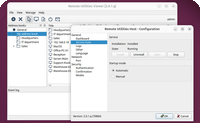
URI Generator
You can use a URI scheme to run Viewer with command line parameters.
URI Generator
To build a URI add parameters to the text field and copy the URL or HTML below. See available parameters.
You can also test run the URI by clicking on the "Test URI" button (Viewer must be installed on your computer).
Sample PHP generator code
$data = array();

$data[] = "-create";
$data[] = "-name:Test connection";
$data[] = "-host:localhost";
$data[] = "-password:123456789";
$data[] = "-fullcontrol";

$text = implode("\r\n", $data);
$hex = 'rutils:'.bin2hex($text);

print '<a href="'.$hex.'">Link</a>';