Change Viewer Language
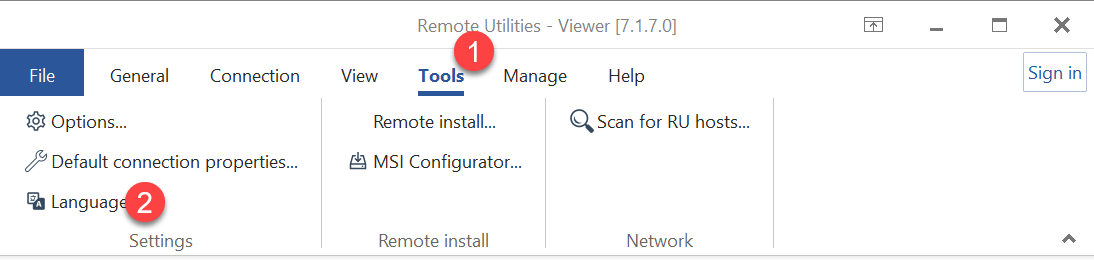
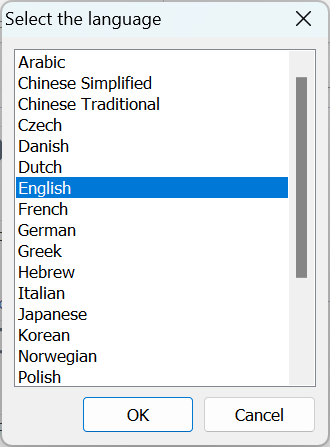
To change the Viewer interface language:
- Go to Tools and click the Language button.
- Select the language and click OK:
- Restart Viewer.
The Viewer is a "command center" utilized by support technicians and administrators. It serves as a central hub for various tasks, including managing the address book, initiating remote sessions, and overseeing license management.
Related links: About Remote Utilities
To change the Viewer interface language: