Connection alerts
To mitigate potential risks, Remote Utilities notifies the user that the product is running on their system using several methods.
Notification Panel
The notification panel is shown by default on the remote Host side. This panel is always visible if the Host is accessed from a Viewer registered with a free license key or in a 30-day trial mode.
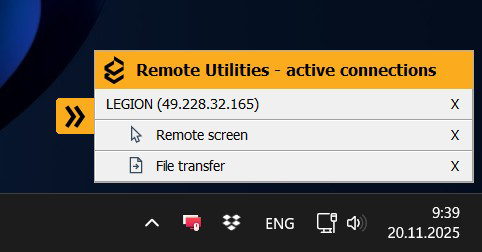
If the Host is accessed from a Viewer registered with a commercial license (Starter, Plus, Pro, or Site), this panel can be disabled in the Host settings.
Temporary Alert
Under specific conditions, a different connection alert is displayed upon connecting to a Host. This alert, available in two variations, corresponds to different licensing scenarios and can be dismissed by the remote user clicking the OK button. Note: The OK button cannot be clicked remotely during a session.
Alert Variation 1: Pro License
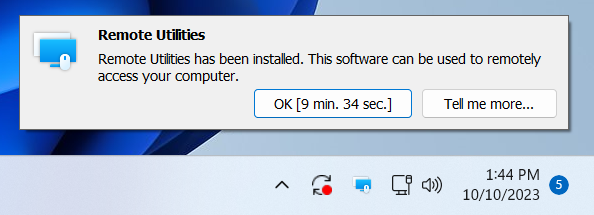
This alert is displayed only if all of the following conditions are met:
- The Host was installed using a custom Host package (i.e. a package built using the MSI Configurator) with the Internet-ID connection enabled during configuration.
- The Viewer connecting to the Host is registered with a PRO license.
If the OK button is not clicked, the alert will automatically disappear after 10 minutes.
Alert Variation 2: Other Licenses (Excluding Site License)
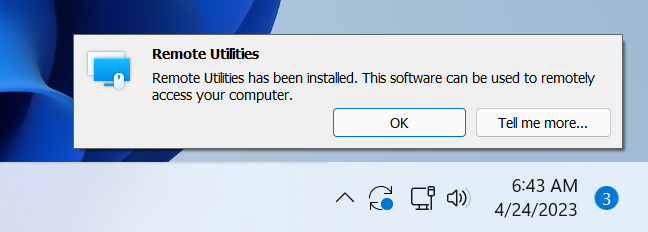
This alert is displayed only if all of the following conditions are met:
- The Host was installed using a custom Host package (i.e. a package built using the MSI Configurator) with the Internet-ID connection enabled during configuration.
- The Viewer connecting to the Host is registered with a FREE, STARTER, or PLUS license, or is in a 30-day trial mode.
This alert variation has no timeout and the OK button must be clicked by the remote user for the alert to disappear.
No Alert for Site License
No alert window will be displayed if the Viewer connecting to the Host is registered with a SITE license.
Scenarios Preventing Alert Display
Neither temporary alert variation will be displayed if any of the following conditions apply:
- The Host was installed using the vanilla installer.
- The Internet-ID connection is not enabled (i.e., a direct connection is used).