Notification Panel
A notification panel is displayed on the remote Host (or Agent) screen when someone is currently connected to it from the Viewer. The remote user can see the IP address or hostname of the connected Viewer and terminate either the entire session or specific connection modes by clicking the X button.
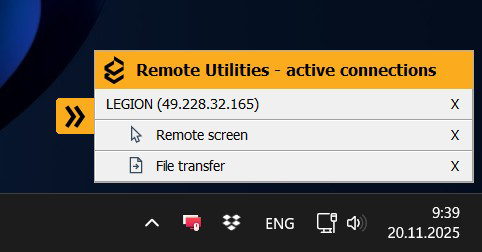
By default, the notification panel is enabled. You can move it to another position on the screen or click the chevron to minimize it.
Turn notification panel on and off
The notification panel is always visible if you connect to a Host from a Viewer with a free license or a free 30-day trial.
The panel can be disabled if you are connecting from a Viewer registered with a commercial license. You can still enable it in the Host settings:
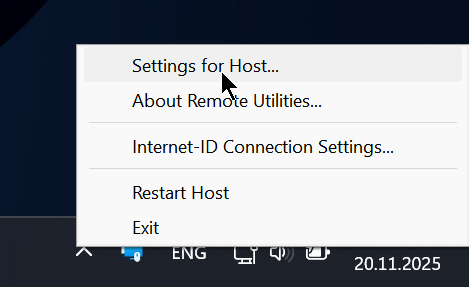
- Right-click the Host icon in the system tray and select Settings for Host:
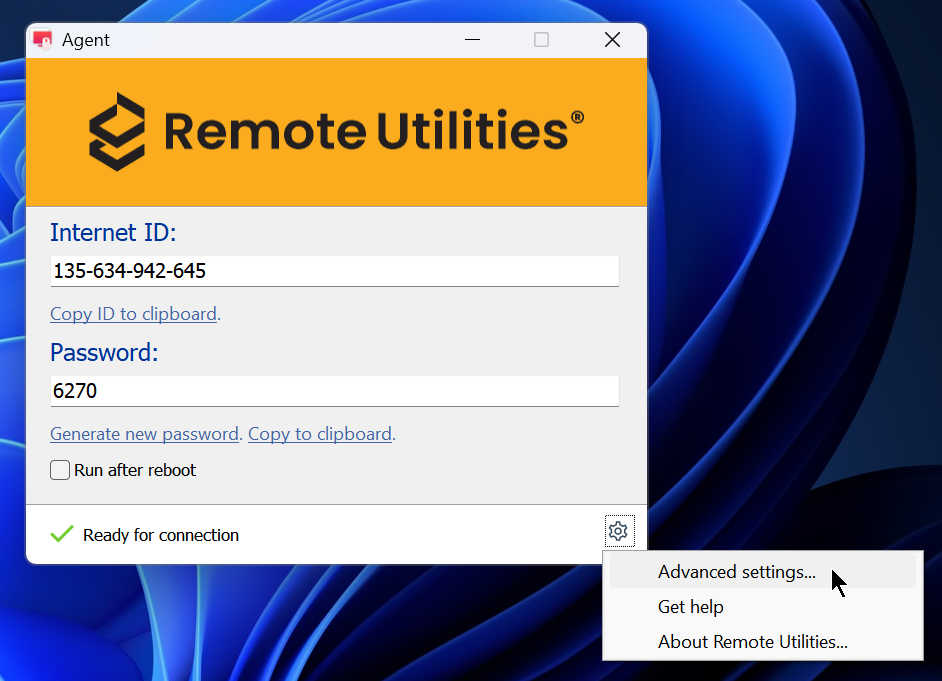
If you are using Agent, click the gear icon in the lower-right corner of the Agent window and select Advanced settings:
- Go to the Interface tab. Select the Show notification panel for paid licenses option to enable the notification panel, or clear the checkbox to disable it:
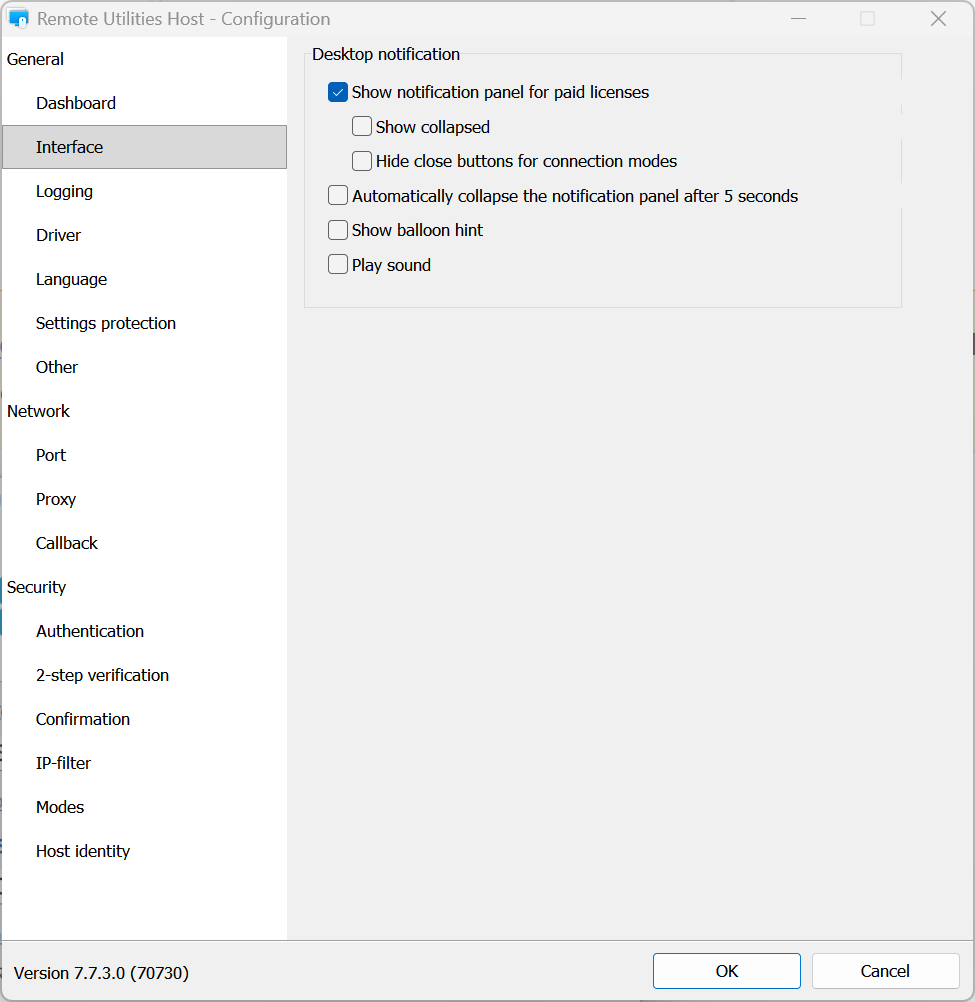
- Select additional options in the same section to adjust how the notification panel behaves, if needed.
- Click OK to close the settings window.
- Important: Right-click the Host icon in the system tray and select Restart Host.