註冊 Remote Utilities
您必須註冊 Viewer 才能在 30 天試用期之後繼續使用。
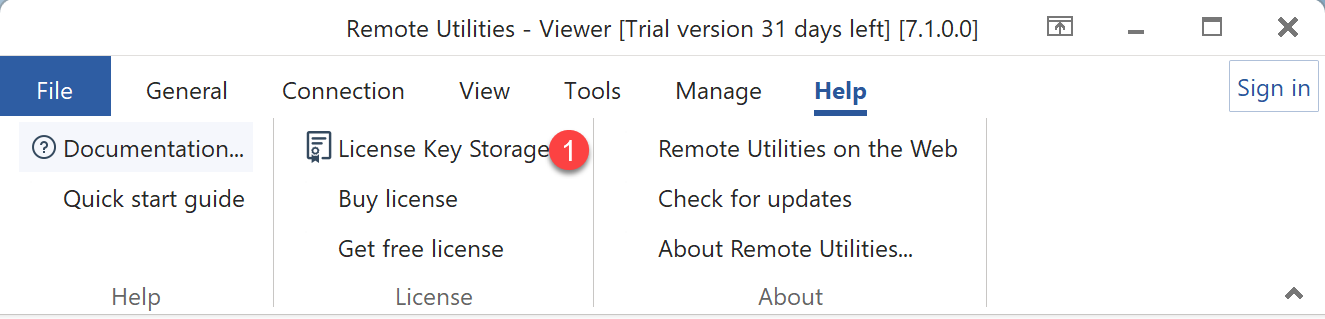
- 選擇 說明→授權金鑰儲存。
- 將您的 key.rlicense 檔案拖放到 授權金鑰儲存 的拖放區域中。
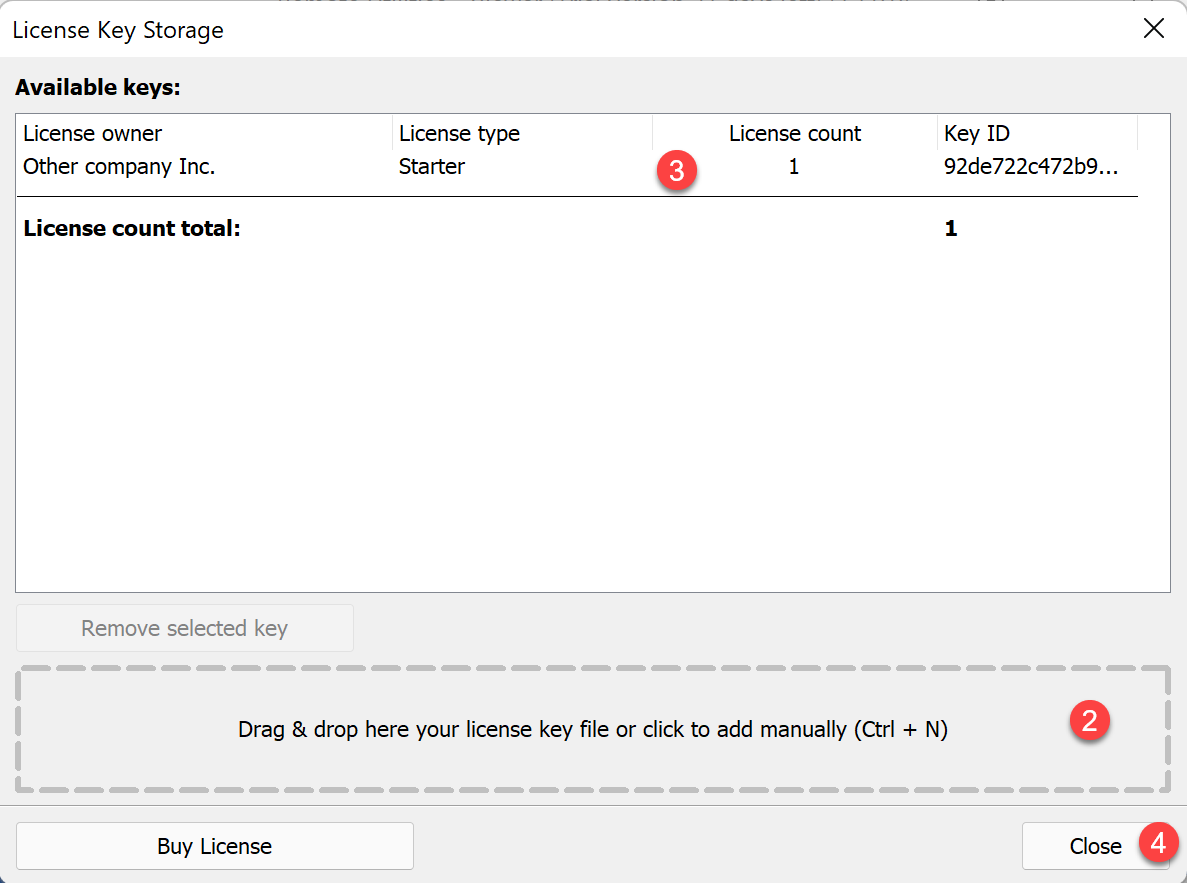
- 授權金鑰儲存中會出現一個新行,上面是您的授權資訊。
- 按一下 關閉。
BUSINESS 授權金鑰適用於 Windows 上的 Viewer 7.9.0.0 或更新版本,以及 macOS 和 Linux 上的 2.1.1 或更新版本。較舊的版本無法辨識此金鑰。
如果您使用 RU Server,請使用相同的授權金鑰進行註冊。請參見 註冊 RU Server。