Pauline's community posts
Stealing My Windows Key Issue/Bug Possible Cause

Hello Scott,
Thank you for the clarification.
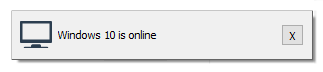
If this is the case, please try disabling the Notify me when connection is online checkbox in the Viewer options.
In addition, please try updating Remote Utilities to the latest 6.12 Beta 2 version - the most recent beta version updates contain a fix for a similar issue where some certain keys (such as Ctrl, Shift or Enter) were not captured by a remote machine. Perhaps, this might also affect the issue you've encountered and help to resolve it.
Version 6.12 Beta 2 is available for the download on this page. When updating Remote Utilities please make sure to update both Host and Viewer as version mismatch might lead to performance issues and some features not working.
Looking forward to your reply.
Thank you for the clarification.
Could you please clarify if you mean this notification?Every once in awhile it will let me know that my own machine that I am working from, is online.
If this is the case, please try disabling the Notify me when connection is online checkbox in the Viewer options.
Unfortunately, we couldn't reproduce the issue and haven't got any other reports on similar issues. Could you please double-check if there is any utility software installed on the Viewer or the Host PCs that uses the keyboard or might have control over the keyboard input?Are other people having this problem, is it really just my configuration alone..?
In addition, please try updating Remote Utilities to the latest 6.12 Beta 2 version - the most recent beta version updates contain a fix for a similar issue where some certain keys (such as Ctrl, Shift or Enter) were not captured by a remote machine. Perhaps, this might also affect the issue you've encountered and help to resolve it.
Version 6.12 Beta 2 is available for the download on this page. When updating Remote Utilities please make sure to update both Host and Viewer as version mismatch might lead to performance issues and some features not working.
Looking forward to your reply.
Blank Black Screen - even tho on remote pc I can see my mouse moving
Hello,
Thank you for your message.
I'm glad to hear you've figured out the issue! In addition, please try enabling the Use legacy capture mode checkbox in the Host Settings -> Other tab.
Also here's a related KB article that might be helpful if the issue occurs again.
Hope that helps.
Thank you for your message.
I'm glad to hear you've figured out the issue! In addition, please try enabling the Use legacy capture mode checkbox in the Host Settings -> Other tab.
Also here's a related KB article that might be helpful if the issue occurs again.
Hope that helps.
RU crashes, when opening Thunderbird on remote site
Hello Knut,
Thank you for your message and the provided details.
Perhaps, the issue might be caused by some minor connectivity issues and occurs when sometimes a brief disconnection occurs and the reconnection mechanism does not work as expected.
However, the issue might be less severe in the latest 6.12 Beta 2 version. Could you please try updating Remote Utilities to the latest 6.12 Beta 2 version and see if it makes any difference? The 6.12 Beta 2 version is available for the download on this page.
When updating Remote Utilities please make sure to update both Viewer and Host/Agent - in your case you will be able to generate a new Agent of the latest version using the updated Viewer (or you can try using the vanilla Agent).
Besides, we're going to further improve the reconnection mechanism in our subsequent updates as well, perhaps even completely change it.
Hope that helps.
Thank you for your message and the provided details.
Perhaps, the issue might be caused by some minor connectivity issues and occurs when sometimes a brief disconnection occurs and the reconnection mechanism does not work as expected.
However, the issue might be less severe in the latest 6.12 Beta 2 version. Could you please try updating Remote Utilities to the latest 6.12 Beta 2 version and see if it makes any difference? The 6.12 Beta 2 version is available for the download on this page.
When updating Remote Utilities please make sure to update both Viewer and Host/Agent - in your case you will be able to generate a new Agent of the latest version using the updated Viewer (or you can try using the vanilla Agent).
Besides, we're going to further improve the reconnection mechanism in our subsequent updates as well, perhaps even completely change it.
Hope that helps.
Exception: EIdSocketError Socket Error # 10060
Hello Andy,
Thank you for the clarification.
Could you please also let me know what version of Remote Utilities do you use? The issue might be caused by the TLS version which was fixed in the 6.12 Beta 2 release as we have implemented a TLS 1.2 support when sending emails using the "SMTP" feature.
In case if you're using version 6.10.10.0 of Remote Utilities or older version, then please try updating to the latest 6.12 Beta 2 version and see if it works for you. Version 6.12 Beta 2 of Remote Utilities is available for the download on this page.
Please let me know if the issue persists.
Thank you for the clarification.
Could you please also let me know what version of Remote Utilities do you use? The issue might be caused by the TLS version which was fixed in the 6.12 Beta 2 release as we have implemented a TLS 1.2 support when sending emails using the "SMTP" feature.
In case if you're using version 6.10.10.0 of Remote Utilities or older version, then please try updating to the latest 6.12 Beta 2 version and see if it works for you. Version 6.12 Beta 2 of Remote Utilities is available for the download on this page.
Please let me know if the issue persists.
Exception: EIdSocketError Socket Error # 10060
Hello Andy,
Thank you for your message.
According to the Windows Sockets Error Codes, the Socket Error # 10060 means the following:
A connection attempt failed because the connected party did not properly respond after a period of time, or the established connection failed because the connected host has failed to respond.
This could mean that the SMTP server you've specified does not reply in time, so the attempt to connect to the SMTP server fails.
Could you please clarify what SMTP provider do you use and what port do you specify in the SMTP settings window? In addition, please also try changing the port number and see if it works this way.
Looking forward to your reply.
Thank you for your message.
According to the Windows Sockets Error Codes, the Socket Error # 10060 means the following:
A connection attempt failed because the connected party did not properly respond after a period of time, or the established connection failed because the connected host has failed to respond.
This could mean that the SMTP server you've specified does not reply in time, so the attempt to connect to the SMTP server fails.
Could you please clarify what SMTP provider do you use and what port do you specify in the SMTP settings window? In addition, please also try changing the port number and see if it works this way.
Looking forward to your reply.
Access monitor-less Host
Hello Peter,
I'm glad to hear it worked for you!
Yes, I'm sorry for that, I forgot to mention that the Host restart might be required. However, it's best to always restart the Host after any changes in the Host settings are applied.
Please feel free to post another message if you have more questions.
I'm glad to hear it worked for you!
Yes, I'm sorry for that, I forgot to mention that the Host restart might be required. However, it's best to always restart the Host after any changes in the Host settings are applied.
Please feel free to post another message if you have more questions.
Access monitor-less Host
Hello Peter,
Thank you for your message.
Could you please try enabling the Use legacy capture mode checkbox? You can find it in the Host settings -> Other tab. This way you should be able to see the remote Host desktop even with no monitor attached to the machine.
Hope that helps.
Thank you for your message.
Could you please try enabling the Use legacy capture mode checkbox? You can find it in the Host settings -> Other tab. This way you should be able to see the remote Host desktop even with no monitor attached to the machine.
Hope that helps.
Remote Utilities Viewer
Hello,
Thank you for your message.
Hope that helps.
Thank you for your message.
Yes, we actually plan to release at least 2 more beta versions in order to include more features. With the new beta version release, the trial period will be extended as well.Question 1, the beta 3 trial is about to end on June 30th, is there going to be a new beta after this version?
Yes, there's going to be a free license as well. Actually, the licensing model for Mac/Linux version is going to be the same as for the Windows version of Remote Utilities.Question 2, if the Mac version of viewer reaches the release version, is there going to be a free license for one single user just like the Windows version?
Hope that helps.
Remote Printer Driver: Error #193
Hello Alex,
Thank you for your message.
I've checked with our developers on the issue - the 193 error means that some Printer Driver related library or an exe file was somehow corrupted, perhaps, by some antivirus software activity. You might try checking the antivirus log files to see if there are any entries that might point to the issue.
Could you please try installing the latest 6.12 Beta 2 version instead and see if the printer driver issue persists? The 6.12 Beta 2 version is available for the download on this page.
Please let us know if the issue persists when installing the 6.12 Beta 2 version as well.
Thank you for your message.
I've checked with our developers on the issue - the 193 error means that some Printer Driver related library or an exe file was somehow corrupted, perhaps, by some antivirus software activity. You might try checking the antivirus log files to see if there are any entries that might point to the issue.
Could you please try installing the latest 6.12 Beta 2 version instead and see if the printer driver issue persists? The 6.12 Beta 2 version is available for the download on this page.
Please let us know if the issue persists when installing the 6.12 Beta 2 version as well.
can't connect to host with viewer from the command line
Hello Brandon,
Thank you for the clarification.
Unfortunately, we couldn't reproduce the issue - it's possible to connect to a remote Host machine in the Full Control mode using command line parameters. Could you please clarify if you're running the following command, i.e. without the "name" parameter, but just its value?
Thank you for the clarification.
Unfortunately, we couldn't reproduce the issue - it's possible to connect to a remote Host machine in the Full Control mode using command line parameters. Could you please clarify if you're running the following command, i.e. without the "name" parameter, but just its value?
rutview /navsystem /fullcontrolIf this is the case, then, indeed, the Full Control mode is not initiated, it just opens the Viewer main window even if the password is saved for the remote connection entry. Could you please try running the following command instead and see if it works this way?
rutview /name:navsystem /fullcontrolPlease let me know if the issue persists.