Remote Access for MSPs
Look after every client from one address book, on a server you run yourself, with a license priced by the size of your team.
Built for Service Providers
Three things set Remote Utilities apart when your business is other people's computers.
Priced per technician
You pay per technician and pick a plan by the size of your fleet, so a smaller client base costs less.
A package per client
Build a Host installer with each client's settings inside and roll it out without touching a single option on site.
Your own server
Connections, the address book and technician sign-in can all run on a server in your own infrastructure.
No network setup at the client
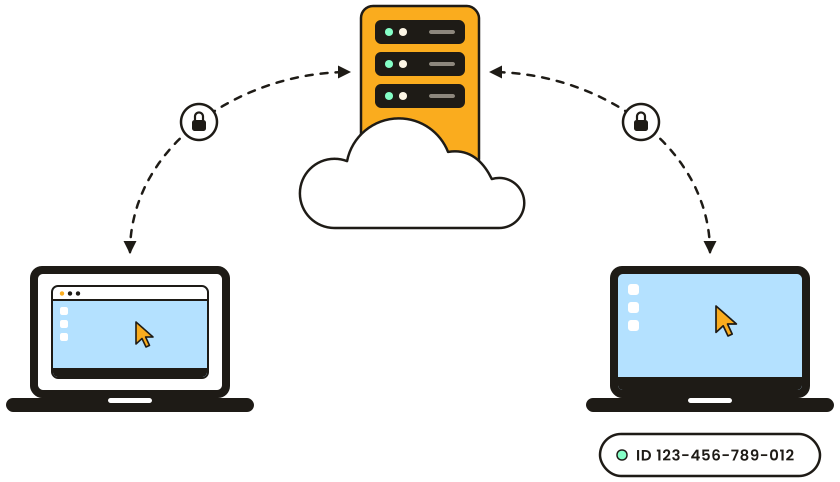
An Internet-ID connection passes firewalls and NAT without any router configuration, so a client's computer is reachable the moment the Host is installed. Already linked to a client over a VPN or a mesh network such as Tailscale? Connect directly by IP address or host name instead. Both ways work side by side in one address book.
A new client in minutes
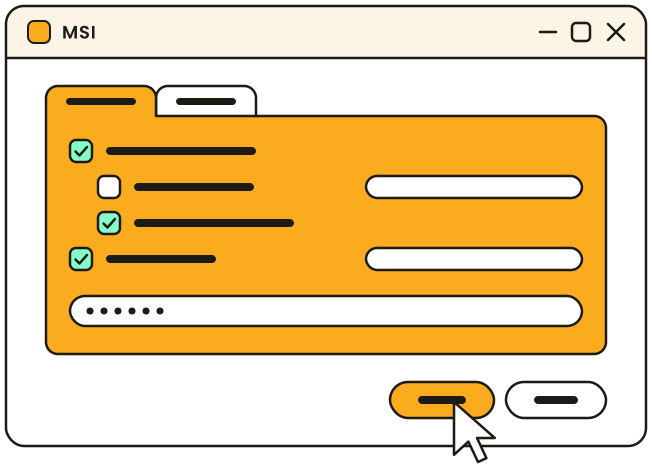
The MSI Configurator in the Viewer produces a Host installer that is configured before it is installed. Keep one configuration file per client and deploy through the client's Group Policy, or send a one-click file to the computers outside the domain.
The connection is ready as soon as the Host is installed: each new Host adds itself to the client's folder in the address book on your self-hosted server. Without a server, the Host can email you its Internet-ID instead.

Maintenance without a site visit
The Host starts with the computer and waits in the background, so servers and workstations stay reachable after hours with nobody at the desk. Transfer files, open a terminal, check the inventory or restart the machine and reconnect, on Windows, macOS and Linux.

Every client on your schedule
Your address book shows which Hosts are behind. Update one client today and another next week, straight from the Viewer. Nothing changes on a client's computer until you start it.
Run It on Your Server
The self-hosted server comes with every license. Install it on a machine you control and your service no longer depends on anyone else's cloud.
One address book
Keep every client in its own folder and sync the whole book to all your technicians.
Address book syncLocal accounts
Create an account on your server for each technician, with individual permissions.
AuthenticationYour own relay
Sessions reach clients behind firewalls through your server, encrypted end to end.
Self-hosted serverSupport on Demand
Not every customer is under contract. For a one-off session, send them the Agent: a single file that runs without installation.
Your logo on it
Build the Agent with your company logo and welcome text, so the customer sees who is helping them.
No admin rights needed
The customer just runs the file. If the job needs more rights, restart the Agent as an administrator from your side.
From one-off to managed
Switch to managed access in one click by converting the Agent to a Host with the same Internet-ID and password.
Licensing That Fits
Two numbers decide your license: how many technicians connect at the same time, and how many devices you manage.
Per concurrent user
Technicians who connect at different times can share one license seat. Adding a client does not add a seat.
Compare plansRoom to grow
Plans go from 20 controlled devices to unlimited. Start with what you manage today and move up as you win clients.
License AssistantBuy once, own it forever
A license is a one-time payment for the current major version. Minor updates are free.
Upgrade PolicyStart With One Client
Download Remote Utilities and try it for 30 days with no limit on the number of remote computers. Reselling licenses to your clients? See the partner program.