Community
Multiple Monitors
Links used in this discussion
Patrick Riley,
User (Posts: 45)
Sep 02, 2026 11:45:32 am EDT
Support level: Pro
Hello,
Is there a way to use all monitors on the viewer when connected to a host? If 2 monitors are set up, the viewer puts both of them together on one monitor.
Using version 7.8.4.0 for viewer and host.
Thanks,
Pat
Is there a way to use all monitors on the viewer when connected to a host? If 2 monitors are set up, the viewer puts both of them together on one monitor.
Using version 7.8.4.0 for viewer and host.
Thanks,
Pat

Conrad Sallian,
Support (Posts: 3232)
Sep 02, 2026 3:16:12 pm EDT
Hello Patrick,
Not automatically, no. The Viewer shows a Host in one window: either the whole remote desktop stretched across all its monitors, or one monitor you pick from the Remote monitors button on the Full Control toolbar. There's no option that maps remote monitors to your local ones one-to-one.
You can get that layout by hand, though. It takes one session per remote monitor:
The catch is that each window is a live session, so it costs two connections instead of one.
Hope that helps.
Not automatically, no. The Viewer shows a Host in one window: either the whole remote desktop stretched across all its monitors, or one monitor you pick from the Remote monitors button on the Full Control toolbar. There's no option that maps remote monitors to your local ones one-to-one.
You can get that layout by hand, though. It takes one session per remote monitor:
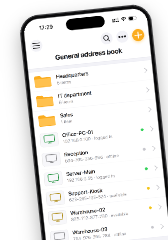
- In the address book, create two connections to the same Host (same Internet-ID or IP), named e.g. "Monitor 1" and "Monitor 2".
- Go to Tools → Options → Remote screen and clear "Tabbed view". Otherwise the two windows dock together as tabs instead of floating.
- Open both connections.
- In each window, pick a different remote monitor from the Remote monitors button.
- Drag each window onto the local monitor you want it on.
The catch is that each window is a live session, so it costs two connections instead of one.
Hope that helps.
Patrick Riley,
User (Posts: 45)
Sep 03, 2026 6:32:11 am EDT
Support level: Pro
Ok, thank you for the information.
* Website time zone: America/New_York (UTC -4)