Community
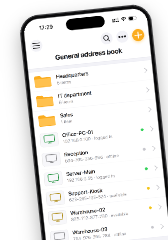
Released: the all-new mobile app for iOS and Android
Links used in this discussion

Conrad Sallian,
Support (Posts: 3229)
Aug 27, 2026 7:10:03 am EDT
Hi snk-nick,
Thank you for the kind words.
Yes, Apple has approved the submission. The new app is now available in AppStore.
On the licensing question itself, your assumption is essentially right — the mobile app currently has no way to know about your license, and that is by design. The app is completely license-free: using it does not take up your license slots and works as a free addition to whatever license you have.
The reason is that App Store and Play Store rules prohibit apps from implementing their own licensing mechanism. The only permitted approach is signing in to an online account that governs the license scope, and we plan to introduce such an account with a sign-in option in the future.
Thank you for the kind words.
Yes, Apple has approved the submission. The new app is now available in AppStore.
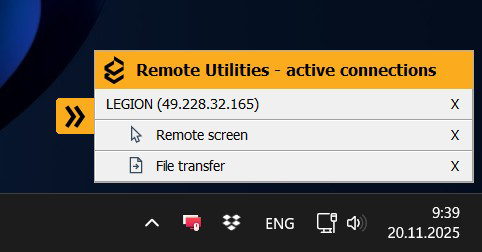
That popup is unrelated to your license. It belongs to older Host versions — in recent Host updates it has been replaced with a universal Host panel, which can be minimized into a small label at the side of the screen. Updating the Host on the remote computer should resolve what you are seeing.Despite having a commercial license the "Your computer has been connected in a remote session..." popup appears. I assume this is because the app does not know what my license is?
On the licensing question itself, your assumption is essentially right — the mobile app currently has no way to know about your license, and that is by design. The app is completely license-free: using it does not take up your license slots and works as a free addition to whatever license you have.
The reason is that App Store and Play Store rules prohibit apps from implementing their own licensing mechanism. The only permitted approach is signing in to an online account that governs the license scope, and we plan to introduce such an account with a sign-in option in the future.
Jim Tracey,
User (Posts: 30)
Aug 28, 2026 11:57:11 am EDT
Support level: Free or trial
Was just pleasantly surprised that my Android version had automatically updated to the new release. Great job, folks! It works wonderfully on both a Samsung phone and Lenovo tablet!
Patiently awaiting, and expecting, a similar product for Mac OS and Linux!
Patiently awaiting, and expecting, a similar product for Mac OS and Linux!
Conrad Sallian,
Support (Posts: 3229)
Aug 28, 2026 12:04:59 pm EDT
Hi Jim,
Appreciate the response, thank you very much. If you could leave a review on Google Play, that would be great. Unfortunately, our old iOS/Android app was far from up to the mark, and we accumulated quite a few bad reviews there. Now that the new app is entirely different, those old reviews no longer apply — so the more fresh reviews we receive, the better. Thanks!
As for macOS and Linux — they are actually available, in beta for now, but fully usable. Here are the download pages:
RU for macOS
RU for Linux
Appreciate the response, thank you very much. If you could leave a review on Google Play, that would be great. Unfortunately, our old iOS/Android app was far from up to the mark, and we accumulated quite a few bad reviews there. Now that the new app is entirely different, those old reviews no longer apply — so the more fresh reviews we receive, the better. Thanks!
As for macOS and Linux — they are actually available, in beta for now, but fully usable. Here are the download pages:
RU for macOS
RU for Linux
Benny Tucker,
User (Posts: 48)
Aug 28, 2026 8:55:02 pm EDT
Support level: Plus
WOW !!!
That is a beautiful upgrade. I just tried it on iPhone and iPad. What a major improvement....
Kudos to the RU Team. All the features I've tried so far works really well...
That is a beautiful upgrade. I just tried it on iPhone and iPad. What a major improvement....
Kudos to the RU Team. All the features I've tried so far works really well...
Conrad Sallian,
Support (Posts: 3229)
Aug 30, 2026 6:50:23 pm EDT
A new update has been released and is now available in both stores.
Support for headless machines without a mouse has been added. The cursor is still rendered even when no physical mouse is connected.
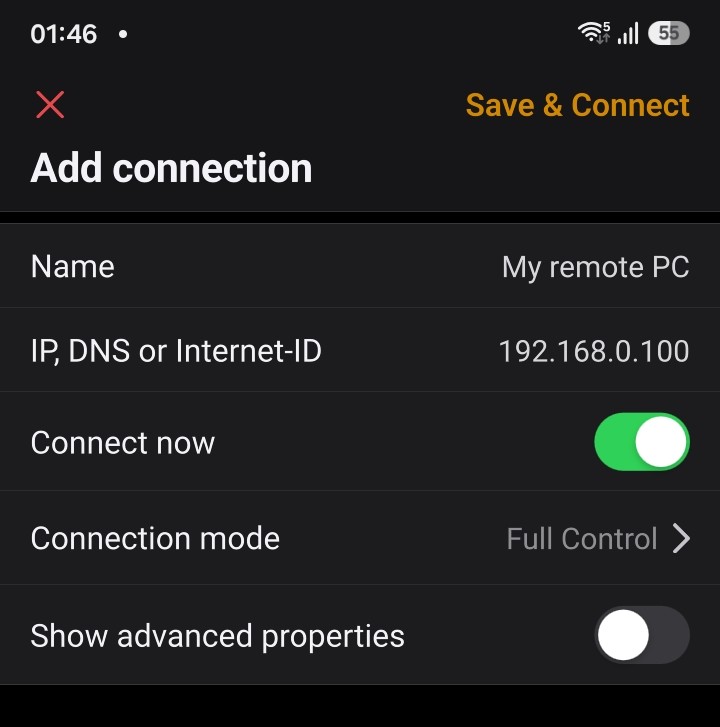
A simplified "Add connection" screen with the "Connect now" option has also been added, similar to how it works in the desktop Viewer.
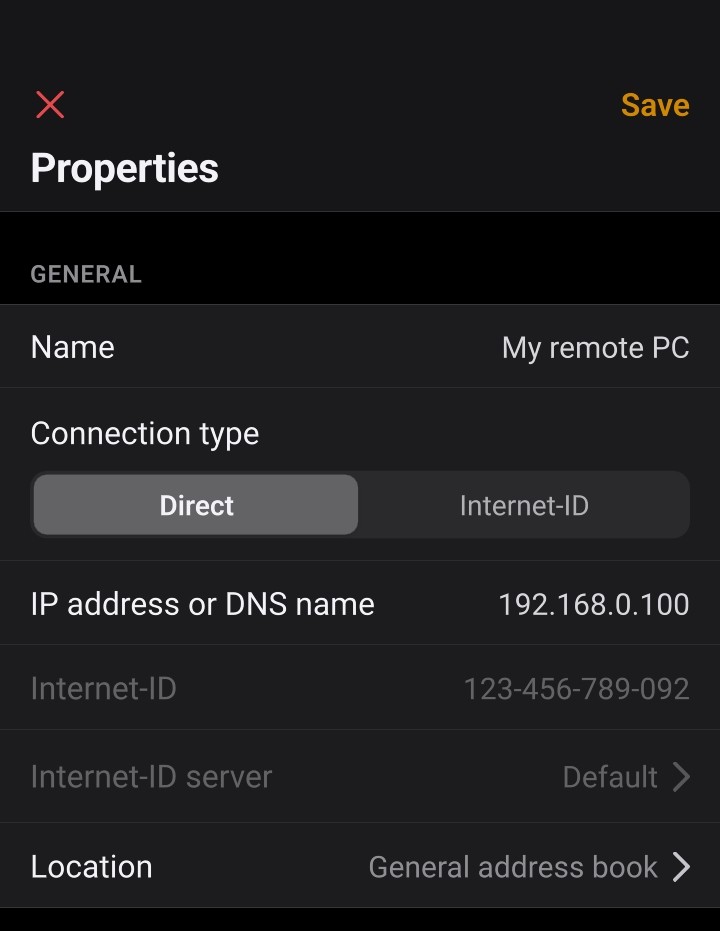
Finally, the connection properties now provide a clearer distinction and switch between Direct connection and Internet-ID connection, again following the approach used in the desktop Viewer.
You can download version 14.0.2 now in Google Play and App Store.
Thanks.
Support for headless machines without a mouse has been added. The cursor is still rendered even when no physical mouse is connected.
A simplified "Add connection" screen with the "Connect now" option has also been added, similar to how it works in the desktop Viewer.
Finally, the connection properties now provide a clearer distinction and switch between Direct connection and Internet-ID connection, again following the approach used in the desktop Viewer.
You can download version 14.0.2 now in Google Play and App Store.
Thanks.
Keith Evans,
User (Posts: 30)
Aug 30, 2026 6:57:12 pm EDT
Support level: Plus
was surprised when the update popped up, you guys once again have done an awesome job , for the last few years using the old one when not near my laptop was painful on the phone because if i didnt have the ID for a connection i had to dial into my Lappy and search for the ID etc etc .. well done again guys
Support level: Pro
A really nice feature for the default tap option would be to have it set either to "nothing" or to give the same menu of all connection types the same as when you tap the arrow at the end of the entry.
I've accidentally connected to a couple machines I didn't intend to scrolling through the list including one client machine which immediately got a panicked phone call wanted to know why their computer said someone was controlling it (obviously they know my support software is installed they just never had a reason to know its name heh). Bright side I know their immediate response to someone being on their computer is to call me!
Small issue and I've worked around it for now by making the default tap option the connection properties which negates the problem, but a minor QoL update for sure.
I've accidentally connected to a couple machines I didn't intend to scrolling through the list including one client machine which immediately got a panicked phone call wanted to know why their computer said someone was controlling it (obviously they know my support software is installed they just never had a reason to know its name heh). Bright side I know their immediate response to someone being on their computer is to call me!
Small issue and I've worked around it for now by making the default tap option the connection properties which negates the problem, but a minor QoL update for sure.
Conrad Sallian,
Support (Posts: 3229)
Aug 31, 2026 7:11:20 am EDT
That makes sense. We'll add 'None' and 'Show menu' options and make the 'Show menu' the default option.snk-nick wrote:
A really nice feature for the default tap option would be to have it set either to "nothing" or to give the same menu of all connection types the same as when you tap the arrow at the end of the entry.
Thank you for your feedback.
Conrad Sallian,
Support (Posts: 3229)
Sep 01, 2026 3:34:59 pm EDT
Version 14.0.3 is available now in stores. Added localization into 23 languages and updated the 'Default tap action' menu as suggested above.
Thanks.
Thanks.
Support level: Pro
Tap action is perfect now, thanks for the quick turnaround there!Conrad Sallian wrote:
Version 14.0.3 is available now in stores. Added localization into 23 languages and updated the 'Default tap action' menu as suggested above.
Thanks.
* Website time zone: America/New_York (UTC -4)