Product Tour
Remote Utilities is remote desktop software you buy once and run your way: through our relay servers, directly over your network, or entirely on your own server.
Three Modules, One System
You work in the Viewer. The computers you connect to run the Host or the Agent. A server of your own is there when you want it.
Viewer
The control center on your own device. It keeps your address book and starts every remote session.
Windows, macOS, Linux, iOS, Android
Host or Agent
Installed on each remote computer for unattended access, or run without installation for spontaneous support.
Windows, macOS, Linux
Self-hosted server
Optional. Routes connections through your own infrastructure and adds address book sync and license management.
Windows
Three Ways to Connect
Our relay servers
An Internet-ID connection passes firewalls and NAT without any router configuration. It works out of the box on any license.
Direct connection
Connect by IP address or host name, with no server in between. This is the fastest route inside your own network.
Your own server
Install the self-hosted server and route every connection through your infrastructure, even in a network with no Internet access.
All three can be mixed in one setup. About the self-hosted server
A Mode for Every Task
Remote control is one of 14 connection modes. Most of them do their job without taking over the remote screen.
Full Control and View
See the remote screen and work with its mouse and keyboard, or only watch without interfering.
File Transfer
Send and receive files over an encrypted channel in a two-panel file manager.
Power Control
Restart, shut down, lock or put the computer to sleep, or reboot it into safe mode.
Administration
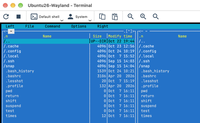
Run commands, manage processes, check hardware and software, and edit the registry in the background.
Terminal · Task Manager · Execute · Inventory Manager · Remote Registry
Communication
Talk to the person at the remote computer during a support session, by text, voice or video.
More Modes
Start a native RDP session from your address book, or record the remote screen on a schedule.

Nobody needed on site
Reach workstations and servers when no one is there to accept the session, including headless machines without a monitor or keyboard. Restart a computer remotely and reconnect as soon as it is back.

Ready for the whole fleet
The built-in MSI Configurator produces a Host installer with your settings already inside. Roll it out through Group Policy or the Remote Install tool, and let the self-hosted server import your computers from Active Directory.

Secure by architecture
There is no central user database and no account to sign in to. Every session is encrypted and authenticated, neither of which can be switched off, and two-factor authentication is available on any license.
Yours to Keep
Free 30-day trial
Every download is a full-featured trial with no limit on the number of remote computers, enough to test it across a whole network.
Download the trialBuy once, own it forever
A paid license is one payment per concurrent user. It keeps working with your version for as long as you use it.
Compare plansCommercially supported
Developed and supported by one company since 2010, with regular releases and technical support.
Release notesTry It on Your Own Network
The trial needs no registration and no payment details. Enter a license key whenever you are ready.