Blog
January 2014
A Top-Down Look at FTP Servers
FTP stands for File Transfer Protocol and is one of the more popular ways to transfer large amounts of data fr om computer to computer. The protocol allows for a variety of different security options, making it less likely that you will experience a loss of information or a breach by hackers. Setting up a server built on FTP can involve a little bit of work, but many businesses benefit from the ease of use and rapid information transfer that such a server offers.
Read more
6 Facts about Remote Networking that Might Surprise You
How much do you really know about remote networking? It has become increasingly common over the past few years, but there are still a lot of myths and misinformation out there. Presented below are some surprising facts about remote networking that you might not have previously been aware of.
Read more
5 Cost-Effective Ways to Improve your Network’s Performance
When a car starts to handle poorly, you bring it in for a tune-up. When a computer starts to slow down, you run it through a number of cleanup processes to speed it up again. Performance problems will eventually strike your business network, even if you are using the best possible setup for your office. When those problems strike, use the tips below to help get your network back up to speed without needing to sink a lot of money into upgrades.
Read more
Remote Utilities 5.6 with iOS/Android support has been released
The first ever mobile version of Remote Utilities - the Viewer for iOS and Android - is available for download. You can now access remote Hosts from your mobile device. Direct and mediated (Internet ID) connections are supported. And, most importantly, the mobile Viewer is absolutely free just like the desktop Viewer. The Windows version of Remote Utilities has also been improved. Now when you launch the RDP connection mode the program uses the native RDP client. This makes RDP sessions less susceptible to errors and interruptions. In addition, the Agent module can now handle UAC prompts, provided that it is launched under an administrator account. We have also added 11 new languages for the interface: Arabic, Chinese (Simplified and Traditional), Czech, Danish, Dutch, Italian, Korean, Norwegian, Swedish, and Turkish. Finally, there are a number of other fixes and improvements. Please, refer to the Release notes page for details. This update is free for all users. Important: for the mobile Viewer to work properly, you must update the Host to version 5.6.
Mobile Viewer: Preview
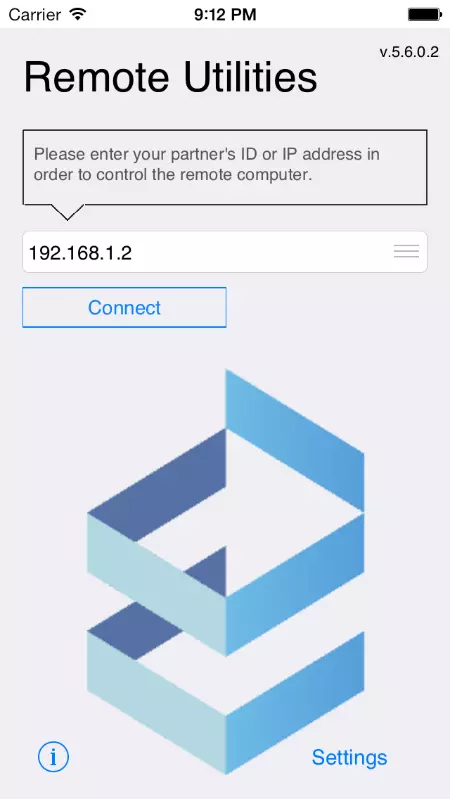
The Mobile Viewer for Remote Utilities for iOS and Android will be released in just a few days. This post contains a brief overview of the features in the mobile version.
Read more
Using Multiple Operating Systems on the Same Network
What’s your preferred operating system? What would you do if somebody told you not to use that operating system? While many people make this adjustment automatically as part of their jobs, there is a growing number of businesses out there that gives their employees freedom to use their operating system of choice. It can be challenging, but it is possible to combine Windows, Mac OS X, and Linux on the same network if that is what you desire.
Read more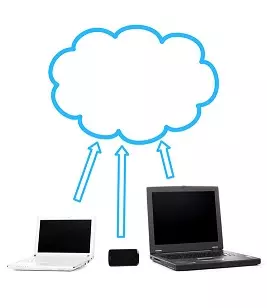
Cloud Computing Trends to Expect in 2014
The new year has arrived, and with it brings a whole new wave of technology. Cloud computing and other remote tools, which became dominant in 2013, will continue to develop in 2014. With more people familiar with those tools and further expansion of resources, you can expect some substantial changes and improvements as the year moves forward. Some new trends that you can expect to see in 2014 are detailed below.
Read more