Community
Frustrated in limitations.
Links used in this discussion
Links used in this discussion
Support level: Free or trial
Using viewer 7.7.3.0 viewer free and Host 7,7.3.0. I am looking at an idiot proof way of providing ondemand as well as unattended access. I currently have the free license.
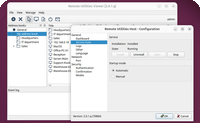
I have two computers here that I was testing on. The viewer is Win11 24H2 and the Host is 25H2. I downloaded the Host just today and installed it. For some reason when I click on the 25H2 computer in the viewer on the 24H2 computer I get Remote Registry! Why is this happening?
If I select Full Control I get connected but why can I not have this Full Control as default?
On some support sessions I am remoting into a standard user account (which would have the host installed) and may have to login to the administrator account on the system. It doesn't seem to be possible with Remote Utilities to do this. It appears the Host is only installed in the standard user account so if I log out of that account in Windows I sever the connection to the remote computer.
I need to be able to have the person who is usually not tech savy be able to download an executable and give me the login credentials over the phone to allow me to fix the problem at hand. This appears to be telling them to go to Remote Utilities website go to Download Select Windows and download the Agent.exe however in the above standard user situation this would cause the session to terminate if I needed to go into the Admin account. Even if they were tech savy enough to some how installed the Host exe that too would loose connection if I logout of the account to get into another account on the PC because even the Host install seems to be limited to only the one account.
Am I overlooking something here?
I have two computers here that I was testing on. The viewer is Win11 24H2 and the Host is 25H2. I downloaded the Host just today and installed it. For some reason when I click on the 25H2 computer in the viewer on the 24H2 computer I get Remote Registry! Why is this happening?
If I select Full Control I get connected but why can I not have this Full Control as default?
On some support sessions I am remoting into a standard user account (which would have the host installed) and may have to login to the administrator account on the system. It doesn't seem to be possible with Remote Utilities to do this. It appears the Host is only installed in the standard user account so if I log out of that account in Windows I sever the connection to the remote computer.
I need to be able to have the person who is usually not tech savy be able to download an executable and give me the login credentials over the phone to allow me to fix the problem at hand. This appears to be telling them to go to Remote Utilities website go to Download Select Windows and download the Agent.exe however in the above standard user situation this would cause the session to terminate if I needed to go into the Admin account. Even if they were tech savy enough to some how installed the Host exe that too would loose connection if I logout of the account to get into another account on the PC because even the Host install seems to be limited to only the one account.
Am I overlooking something here?

Hello,
Thank you for your message.
What you are seeing is expected behavior based on how Remote Utilities is designed.
The Agent module is intended only for attended, on-demand support and runs under the user account that launches it. If that user logs out or switches to another Windows account (such as an administrator account), the session will terminate. This limitation cannot be avoided when using Agent.
For unattended access and the ability to remain connected while users log out or switch accounts, Host must be installed and running as a Windows service. When installed correctly with administrative privileges, Host operates system-wide and is not tied to a specific user session.
Regarding the connection mode, “Remote Registry” is simply one of the available session modes shown by the Viewer. Full Control can be started after connecting, but it cannot be set as the default connection mode.
In short, Agent is suitable only for temporary attended sessions. If you require persistent access or need to log in to different Windows accounts without losing the connection, the Host module is required.
Hope that helps.
Thank you for your message.
What you are seeing is expected behavior based on how Remote Utilities is designed.
The Agent module is intended only for attended, on-demand support and runs under the user account that launches it. If that user logs out or switches to another Windows account (such as an administrator account), the session will terminate. This limitation cannot be avoided when using Agent.
For unattended access and the ability to remain connected while users log out or switch accounts, Host must be installed and running as a Windows service. When installed correctly with administrative privileges, Host operates system-wide and is not tied to a specific user session.
Regarding the connection mode, “Remote Registry” is simply one of the available session modes shown by the Viewer. Full Control can be started after connecting, but it cannot be set as the default connection mode.
In short, Agent is suitable only for temporary attended sessions. If you require persistent access or need to log in to different Windows accounts without losing the connection, the Host module is required.
Hope that helps.
Support level: Free or trial
Thanks for the explanation. I am trying to make the process as simple as I can for the users I have to support. I guess in this situation once they have Agent Module running I could install the Host after I am connected to their computer and if need be uninstall it afterwards.
A couple of questions. Is there any way I can change the name that is showing up on their computer, whether their computer is using the Agent module or Host? Right now, it is showing the name of my computer on my network. I would like to have it say my name instead.
Your software requires one to logout to get the connection to close. Is there anyway on my end to have the connection to close when I close the viewer window instead?
A couple of questions. Is there any way I can change the name that is showing up on their computer, whether their computer is using the Agent module or Host? Right now, it is showing the name of my computer on my network. I would like to have it say my name instead.
Your software requires one to logout to get the connection to close. Is there anyway on my end to have the connection to close when I close the viewer window instead?
* Website time zone: America/New_York (UTC -4)