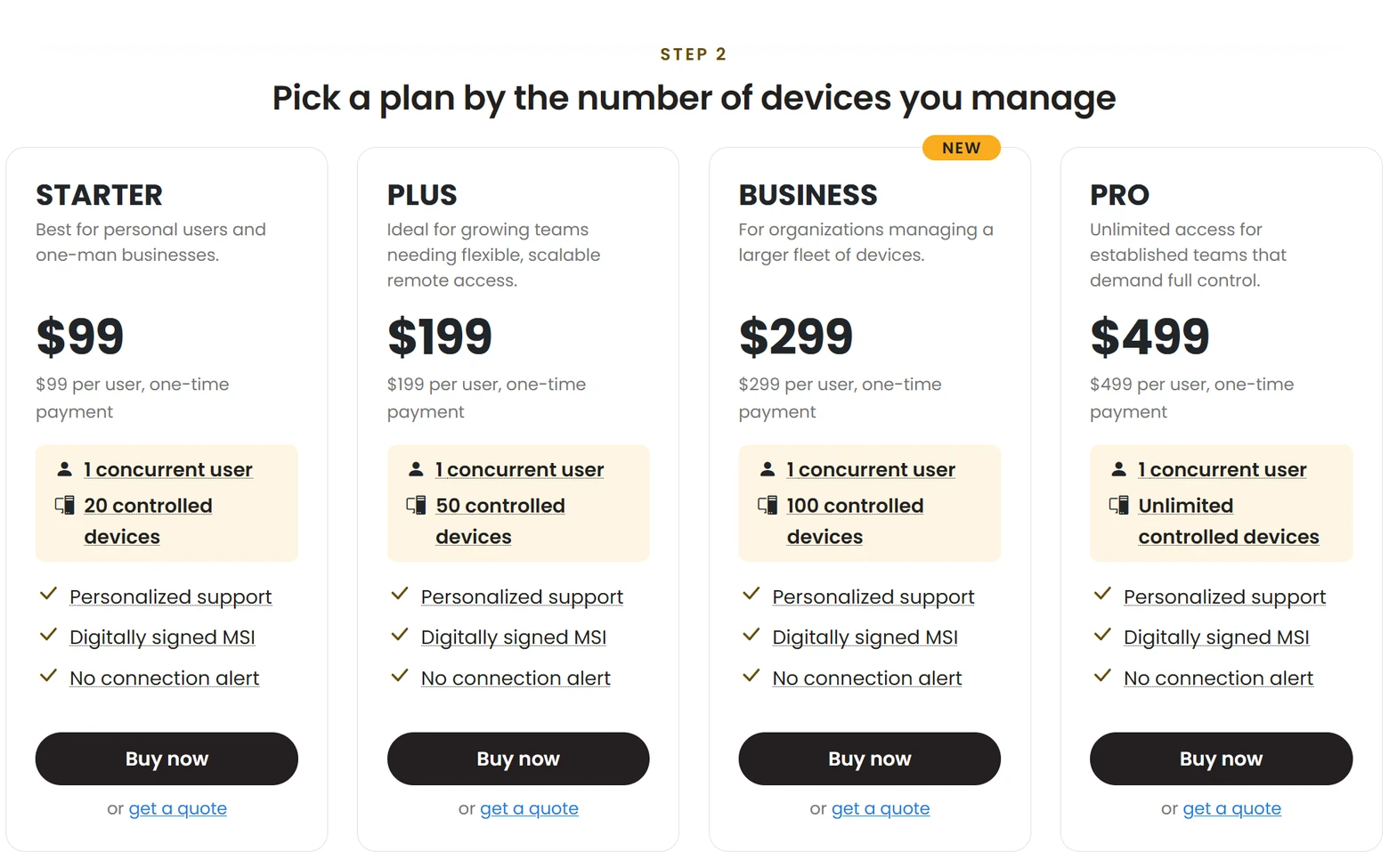
Business sits between PLUS and PRO. Until now, the choice above PLUS was a big step: PLUS covered up to 50 controlled devices, and the next license, PRO, removed the device limit altogether and cost twice as much per user. Teams that manage 60 or 80 computers had to pay for unlimited. Business closes that gap.
We have also lowered the PLUS price, which now starts at $199 per user.
Four licenses, one difference
All paid licenses include the same features. They differ only in how many remote computers (controlled devices) you can connect to, and you pay per concurrent user: the number of people who keep the Viewer open or are in a remote session at the same time.
| License | Controlled devices | Price for one user |
| STARTER | Up to 20 | $99 |
| PLUS | Up to 50 | $199 (was $249) |
| BUSINESS (new) | Up to 100 | $299 |
| PRO | Unlimited | $499 |
Every license is a one-time payment: you own it, there is no subscription, and updates within the major version are free. For larger organizations with many concurrent users and hundreds or thousands of controlled devices, the SITE license covers an unlimited number of both.
Note: a Business license key works with Remote Utilities 7.9.0.0 or later on Windows, and 2.1.1 or later on macOS and Linux. Earlier versions do not recognize it, so update the Viewer before you register the key.
Volume prices
The price per user drops as you add users. These are the new steps for PLUS and Business:
| Concurrent users | PLUS, per user | BUSINESS, per user |
| 1 | $199 | $299 |
| 2–4 | $179 | $269 |
| 5–9 | $159 | $249 |
| 10–19 | $145 | $229 |
| 20–29 | $135 | $219 |
| 30–39 | $129 | $209 |
STARTER and PRO prices do not change. The full price table is on the Buy Online page.
Upgrading from PLUS
If you already have a PLUS license and need more devices, you can upgrade to Business and pay only the difference. If you purchased your PLUS license before November 2, 2026, it is credited at the price it was sold for, not at the new lower price, so the price change does not make your upgrade more expensive.
Use the Upgrade Your License form: enter your current key, choose Business and the number of users, and you see the exact cost before checkout. You receive a new license key that replaces the old one; register it in Viewer 7.9.0.0 or later. The same form also adds users to any license.
Not sure which license you need?
Count two things: how many people will connect at the same time, and how many computers they will reach. The License Assistant takes those two numbers and recommends the license that fits, with its price. If your purchasing department needs a formal document, request a quote, and for anything else, contact our sales team.