Conrad Sallian's community posts
Linux Server

Conrad Sallian,
Support (Posts: 3232)
Aug 27, 2026 9:16:34 am EDT
Hello,
This is definitely in our plans and the priority is higher than ever. Given that Windows as an environment is a bit more straightforward, it might take some time before we can offer a robust Linux RU Server though. Sorry for keeping you waiting on this one.
This is definitely in our plans and the priority is higher than ever. Given that Windows as an environment is a bit more straightforward, it might take some time before we can offer a robust Linux RU Server though. Sorry for keeping you waiting on this one.
Released: the all-new mobile app for iOS and Android
Conrad Sallian,
Support (Posts: 3232)
Aug 27, 2026 7:10:03 am EDT
Hi snk-nick,
Thank you for the kind words.
Yes, Apple has approved the submission. The new app is now available in AppStore.
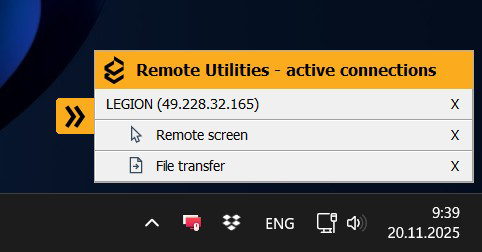
On the licensing question itself, your assumption is essentially right — the mobile app currently has no way to know about your license, and that is by design. The app is completely license-free: using it does not take up your license slots and works as a free addition to whatever license you have.
The reason is that App Store and Play Store rules prohibit apps from implementing their own licensing mechanism. The only permitted approach is signing in to an online account that governs the license scope, and we plan to introduce such an account with a sign-in option in the future.
Thank you for the kind words.
Yes, Apple has approved the submission. The new app is now available in AppStore.
That popup is unrelated to your license. It belongs to older Host versions — in recent Host updates it has been replaced with a universal Host panel, which can be minimized into a small label at the side of the screen. Updating the Host on the remote computer should resolve what you are seeing.Despite having a commercial license the "Your computer has been connected in a remote session..." popup appears. I assume this is because the app does not know what my license is?
On the licensing question itself, your assumption is essentially right — the mobile app currently has no way to know about your license, and that is by design. The app is completely license-free: using it does not take up your license slots and works as a free addition to whatever license you have.
The reason is that App Store and Play Store rules prohibit apps from implementing their own licensing mechanism. The only permitted approach is signing in to an online account that governs the license scope, and we plan to introduce such an account with a sign-in option in the future.
Email mistake
Conrad Sallian,
Support (Posts: 3232)
Aug 26, 2026 1:27:07 pm EDT
Ok, now updated the email in the order details and had Paypro resent the license to the correct email address.
Hope that helps.
Hope that helps.
Email mistake
Conrad Sallian,
Support (Posts: 3232)
Aug 26, 2026 1:24:37 pm EDT
Hi John,
Sure, we'll help you. Let me take a look and I'll get back to you. Also, updated the email addresses with asterisks to hide personal information.
Sure, we'll help you. Let me take a look and I'll get back to you. Also, updated the email addresses with asterisks to hide personal information.
Released: the all-new mobile app for iOS and Android
Conrad Sallian,
Support (Posts: 3232)
Aug 26, 2026 6:35:59 am EDT
Hi Robert,
Thank you for your feedback.
About having to manually recreacting the address book. Yes, unfortunately, the connections saved in the previous app use an incompatible format and do not carry over. At first we wanted to add code that would pick them up and convert after the new app installation, but there's also encryption/decryption involved (of the saved passwords if any)... so long story short, the potential issues would vastly outweigh the benefits. We are sorry for this inconvenience.
P.S. Also added a note in the Store so that users who upgrade to the new version are aware of that.
Thank you for your feedback.
About having to manually recreacting the address book. Yes, unfortunately, the connections saved in the previous app use an incompatible format and do not carry over. At first we wanted to add code that would pick them up and convert after the new app installation, but there's also encryption/decryption involved (of the saved passwords if any)... so long story short, the potential issues would vastly outweigh the benefits. We are sorry for this inconvenience.
P.S. Also added a note in the Store so that users who upgrade to the new version are aware of that.
Viewer 1.0.27.q for mac crashes when loading screen after logging in
Conrad Sallian,
Support (Posts: 3232)
Aug 25, 2026 6:01:50 am EDT
Hi Glen,
Thank you for your message.
Is there any error message or output? Could you send it to us at support@remoteutilities.com ?
Thanks.
Thank you for your message.
Is there any error message or output? Could you send it to us at support@remoteutilities.com ?
Thanks.
Released: the all-new mobile app for iOS and Android
Conrad Sallian,
Support (Posts: 3232)
Aug 24, 2026 8:33:42 pm EDT
The app is live now on Google Play.
Released: the all-new mobile app for iOS and Android
Conrad Sallian,
Support (Posts: 3232)
Aug 24, 2026 11:54:08 am EDT
Hi Alex,Alex Reyes wrote:
Would this work if our RUT Server is behind a VPN?
Of course. From a network perspective, the mobile Viewer works the same way as the desktop Viewer.
Add a fifth view mode: "Fit to Host Screen"
Conrad Sallian,
Support (Posts: 3232)
Aug 24, 2026 5:42:55 am EDT
Hello,
Thank you for your message.
Just to confirm - do you mean the ability to change the very resolution of the remote screen?
Thank you for your message.
Just to confirm - do you mean the ability to change the very resolution of the remote screen?
Released: the all-new mobile app for iOS and Android
Conrad Sallian,
Support (Posts: 3232)
Aug 21, 2026 6:44:30 pm EDT
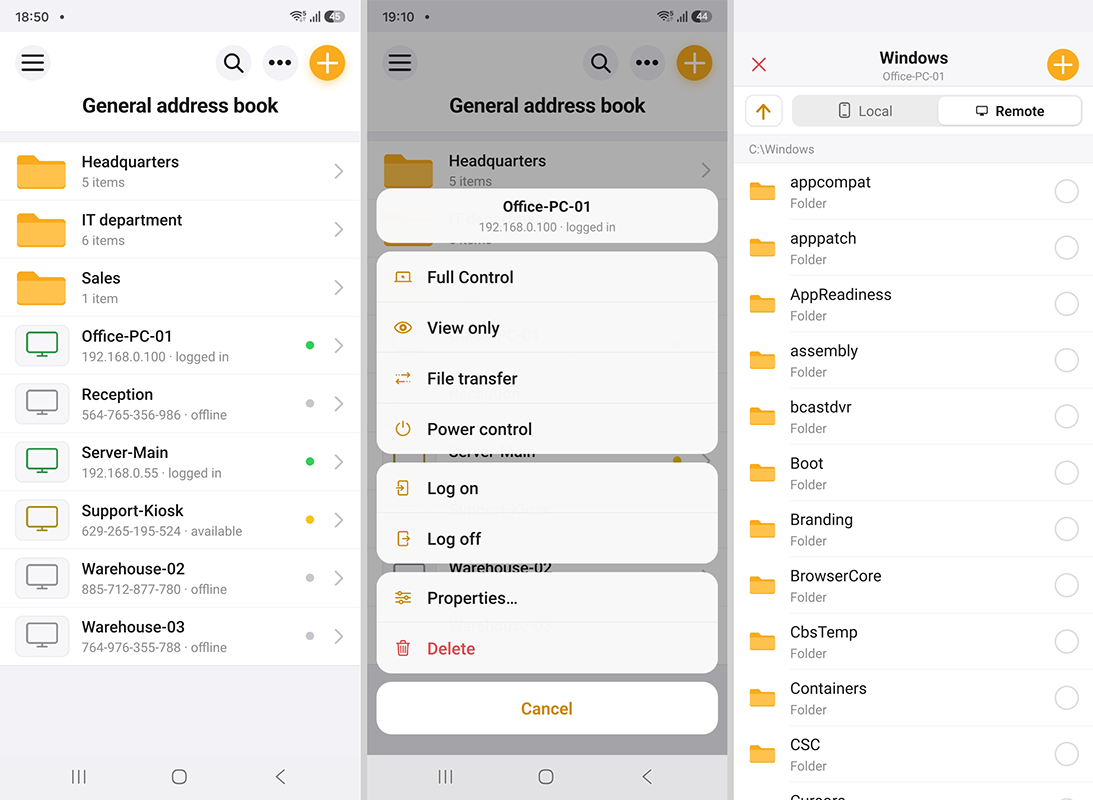
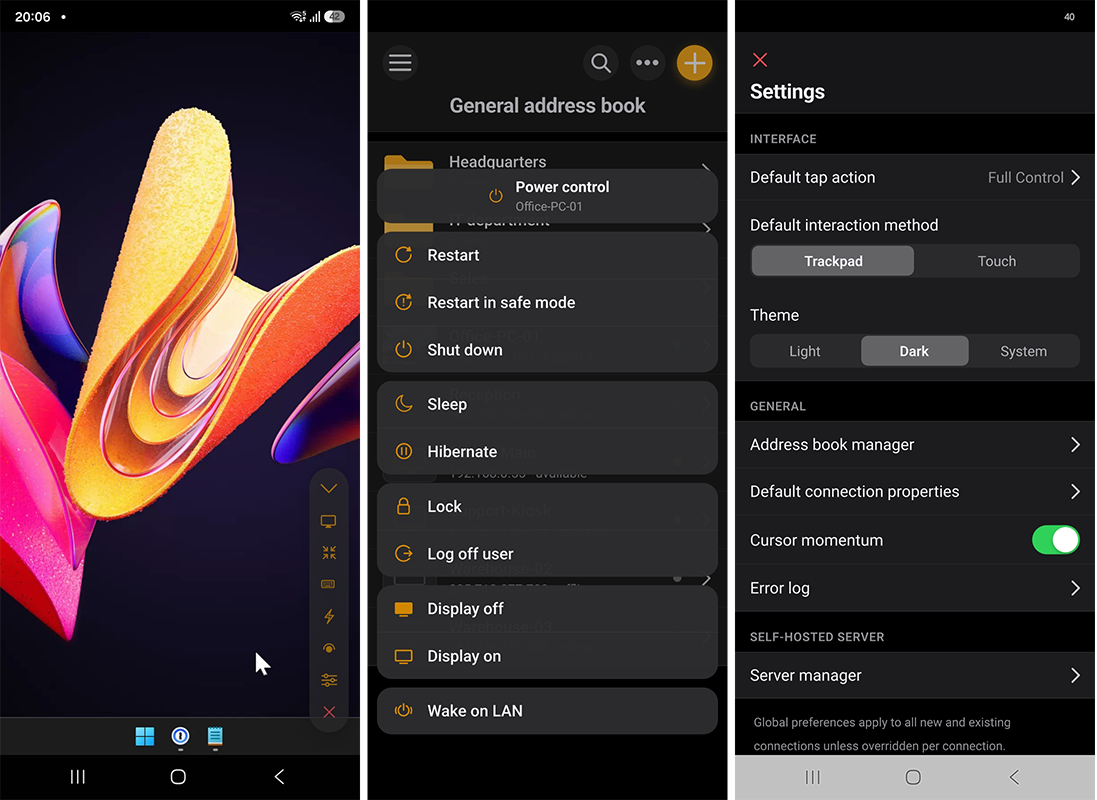
The completely new Remote Utilities mobile app is now available on the App Store and Google Play — a full mobile Viewer, not the basic app that had been sitting in the stores until now. It's built from the ground up and brings nearly everything you know from the desktop Viewer to your phone and tablet.
See the blog post for a mobile Viewer feature overview →
If you like the new app, please leave an honest review on the App Store or Google Play. It would really help us gain traction and keep improving the app.
Remote Utilities Viewer on the App Store
Remote Utilities Viewer on Google Play
What's in it
Note: connections saved in the previous app use an incompatible format and do not carry over. Please re-add them, or import your desktop Remote Utilities address book file directly.
Note for Android users: on Google Play the app is listed as Remote Utilities Viewer (an Android Host is planned for the future, and the naming distinguishes the two).
Screenshots
See the blog post for a mobile Viewer feature overview →
If you like the new app, please leave an honest review on the App Store or Google Play. It would really help us gain traction and keep improving the app.
Remote Utilities Viewer on the App Store
Remote Utilities Viewer on Google Play
What's in it
- Full address book compatibility — no need to manually populate a flat list anymore. You can import your existing books (as a/b xml file, no extra conversion required) or pull a self-hosted server book.
- Address book sync via self-hosted server.
- Four connection modes — Full Control, View Only, File Transfer, Power Control.
- Two interaction modes in Full Control — Trackpad (drag a cursor) or Touch (tap on the screen registers as a click).
- Multiple monitor support — switch to a specific remote monitor or view all of them at once.
- Direct and Internet-ID connection, including via your self-hosted server.
- Authentication methods: Single password, Remote Utilities Security (login/password) and Custom Server Security.
- Light and dark UI modes.
- Free, no limits, no ads — same as before.
Note: connections saved in the previous app use an incompatible format and do not carry over. Please re-add them, or import your desktop Remote Utilities address book file directly.
Note for Android users: on Google Play the app is listed as Remote Utilities Viewer (an Android Host is planned for the future, and the naming distinguishes the two).
Screenshots