snk-nick's community posts
[Resolved] Constant Disconnecting
Support level: Pro
Are there any release notes for these new versions?
[Resolved] Constant Disconnecting
Support level: Pro
Same issue for myself. It's really frustrating.. sometimes it will keep the connection for ages, other times it drops off in a few minutes. I'm running a local server for all connection and it doesn't matter whether it's on LAN or over the internet, same result.
Server, viewer, and host are all at the latest versions but I've had it happen pretty much since I started using the product.
Server, viewer, and host are all at the latest versions but I've had it happen pretty much since I started using the product.
Edited:snk-nick - Apr 16, 2019 9:02:09 am EDT
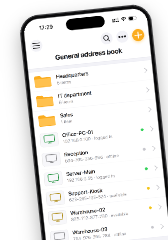
Adressbook on the Mobile App
Support level: Pro
Honestly it makes the mobile app completely useless to me, which is a real shame. Do you have any kind of ETA for this feature? I've heard it referred to as "coming soon" for quite a while now.Polina Krasnoborceva wrote:I am sorry if that makes the program less useful for you.
Updating each version is a major hassle.
Support level: Pro
Every time a new version is released I need to individually create new install files for the MSI, .exe and agent. I can't just point the software to old version and create them, nor can I make some kind of install template that would let me easily generate new versions each release... this makes ensuring every install file has the correct settings fairly painstaking.
In addition, when trying to update hosts the simple update feature simply does not work at all. When using the remote install option and pointing the file to an update MSI, installs to remote (i.e. non LAN) locations always fail saying "unable to complete action" with no other explanation.
When it is working, the software is great. However every single update is a long, annoying task that only becomes more so the more clients I install agents to. Are there any plans to address this, and if so when can we expect them?
In addition, when trying to update hosts the simple update feature simply does not work at all. When using the remote install option and pointing the file to an update MSI, installs to remote (i.e. non LAN) locations always fail saying "unable to complete action" with no other explanation.
When it is working, the software is great. However every single update is a long, annoying task that only becomes more so the more clients I install agents to. Are there any plans to address this, and if so when can we expect them?
Remote active directory
Support level: Pro
Hi Polina,
That seems to only apply to machines that are on the same network. Does this work using an RU connection?
Cheers,
Nick.
That seems to only apply to machines that are on the same network. Does this work using an RU connection?
Cheers,
Nick.
Remote active directory
Support level: Pro
If I have RU installed on a clients Domain Controller, am I able to add their AD structure to my viewer? Or is this possible in some other manner (besides running a VPN I guess).
Server Authentication for iOS?
Support level: Pro
I use a custom server for RU and have things working nicely across my devices. I've also recently pushed custom server auth out to all my clients which is great.
But, I'd also love to be able to fire up the iOS app, provide my server URL and username/password and basically get the same experience there that I do on the Windows viewer client. Is this something that will be added at any point? Right now I'd need to add each client via their internet ID/password which is really unpractical.
But, I'd also love to be able to fire up the iOS app, provide my server URL and username/password and basically get the same experience there that I do on the Windows viewer client. Is this something that will be added at any point? Right now I'd need to add each client via their internet ID/password which is really unpractical.
Updated Viewer, locked out of all client PC's
Support level: Pro
Done.
Updated Viewer, locked out of all client PC's
Support level: Pro
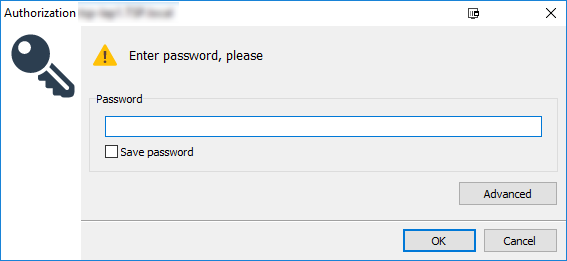
So the User name field? Unchecked and tried with all of my set passwords, no luck.
Updated Viewer, locked out of all client PC's
Support level: Pro
Here you go: