
gabriel ilardi's community posts
Trial feedback
gabriel ilardi,
User (Posts: 6)
Jul 23, 2019 8:22:25 am EDT
Support level: Free or trial
Hello Polina,
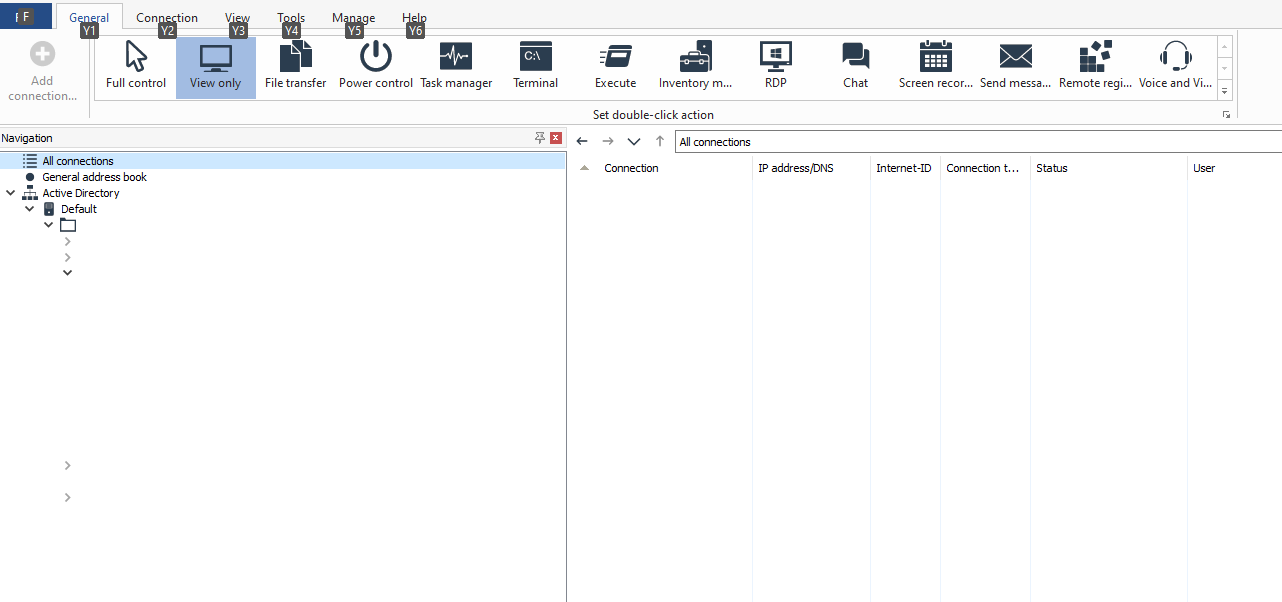
I have another feedback, after browsing Active Directory and adding all computers as connections they do not appear in the "All connections" item menu at the root of the tree:
Thanks
I have another feedback, after browsing Active Directory and adding all computers as connections they do not appear in the "All connections" item menu at the root of the tree:
Thanks
Trial feedback
gabriel ilardi,
User (Posts: 6)
Jul 11, 2019 10:24:15 am EDT
Support level: Free or trial
Sure, already done. ThanksPolina Krasnoborceva wrote:
Please try switching to the List view or the Details view in the Viewer. This way, you have different columns enabled and arranged the way you need. A table view is always preferable when working with multiple entries because it allows you to easily sort your records.
Trial feedback
gabriel ilardi,
User (Posts: 6)
Jul 11, 2019 3:13:40 am EDT
Support level: Free or trial
Hello Polina,
Sorry, I haven't explained myself right about the search, I mean searching in active directory while in thumbnails view, see the screenshot:
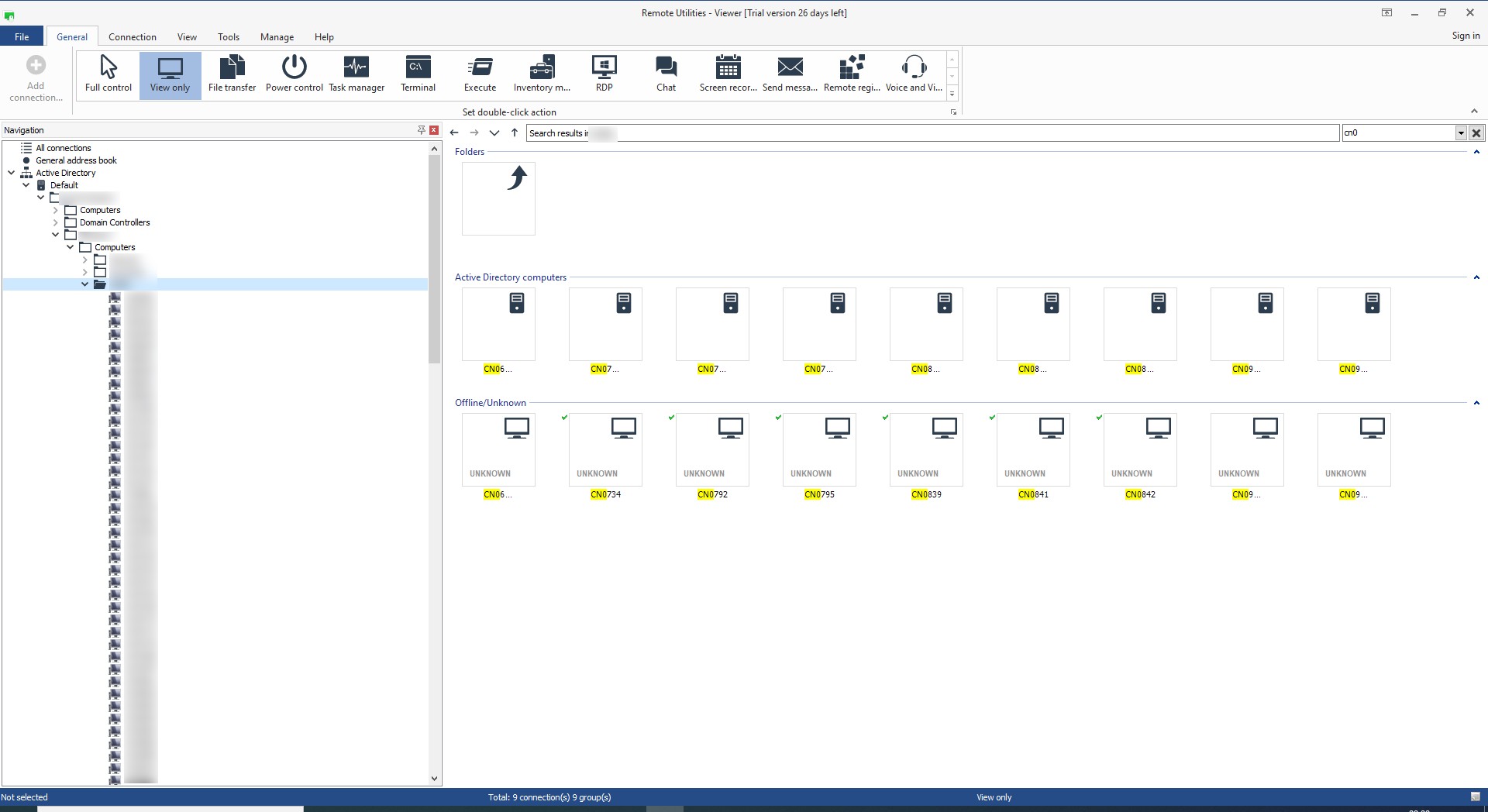
Sorry, I haven't explained myself right about the search, I mean searching in active directory while in thumbnails view, see the screenshot:
Trial feedback
gabriel ilardi,
User (Posts: 6)
Jul 10, 2019 10:43:36 am EDT
Support level: Free or trial
Hello Polina,
I do have more suggestions:
- The end point receives a message stating COMPUTERNAME (IP ADDRESS) has connected, it would be nice if it showed also the username.
- While listing active directory computers it would be nice to see the computer comments and to be able to sort the list by computer name/comment (you can do it now but you need to add them first as connections, this is really inconvenient).
- To be able to add as a connection you need to be in the right panel, you can't add to a connection directly via right clicking on the left panel. (better yet as suggested before directly connecting to it without the need to add it as a connection).
- When you start typing to search, the results show the first characters of the computer name highlighted instead of the whole computer name with just the typed characters highlighted.
- The icons on the upper bar while you have selected a computer don't work, if you click on them you see at the bottom the action (i.e. Remote Registry, Send message) but nothing happens, you need to right click on the computer and choose the action.
Thanks
I do have more suggestions:
- The end point receives a message stating COMPUTERNAME (IP ADDRESS) has connected, it would be nice if it showed also the username.
- While listing active directory computers it would be nice to see the computer comments and to be able to sort the list by computer name/comment (you can do it now but you need to add them first as connections, this is really inconvenient).
- To be able to add as a connection you need to be in the right panel, you can't add to a connection directly via right clicking on the left panel. (better yet as suggested before directly connecting to it without the need to add it as a connection).
- When you start typing to search, the results show the first characters of the computer name highlighted instead of the whole computer name with just the typed characters highlighted.
- The icons on the upper bar while you have selected a computer don't work, if you click on them you see at the bottom the action (i.e. Remote Registry, Send message) but nothing happens, you need to right click on the computer and choose the action.
Thanks
Edited:gabriel ilardi - Jul 11, 2019 3:14:17 am EDT
Trial feedback
gabriel ilardi,
User (Posts: 6)
Jul 05, 2019 11:42:17 am EDT
Support level: Free or trial
Thanks for your feedback Polina,
It would be much better to implement the right context menu directly in AD, as you see in connections, like this:

Thanks
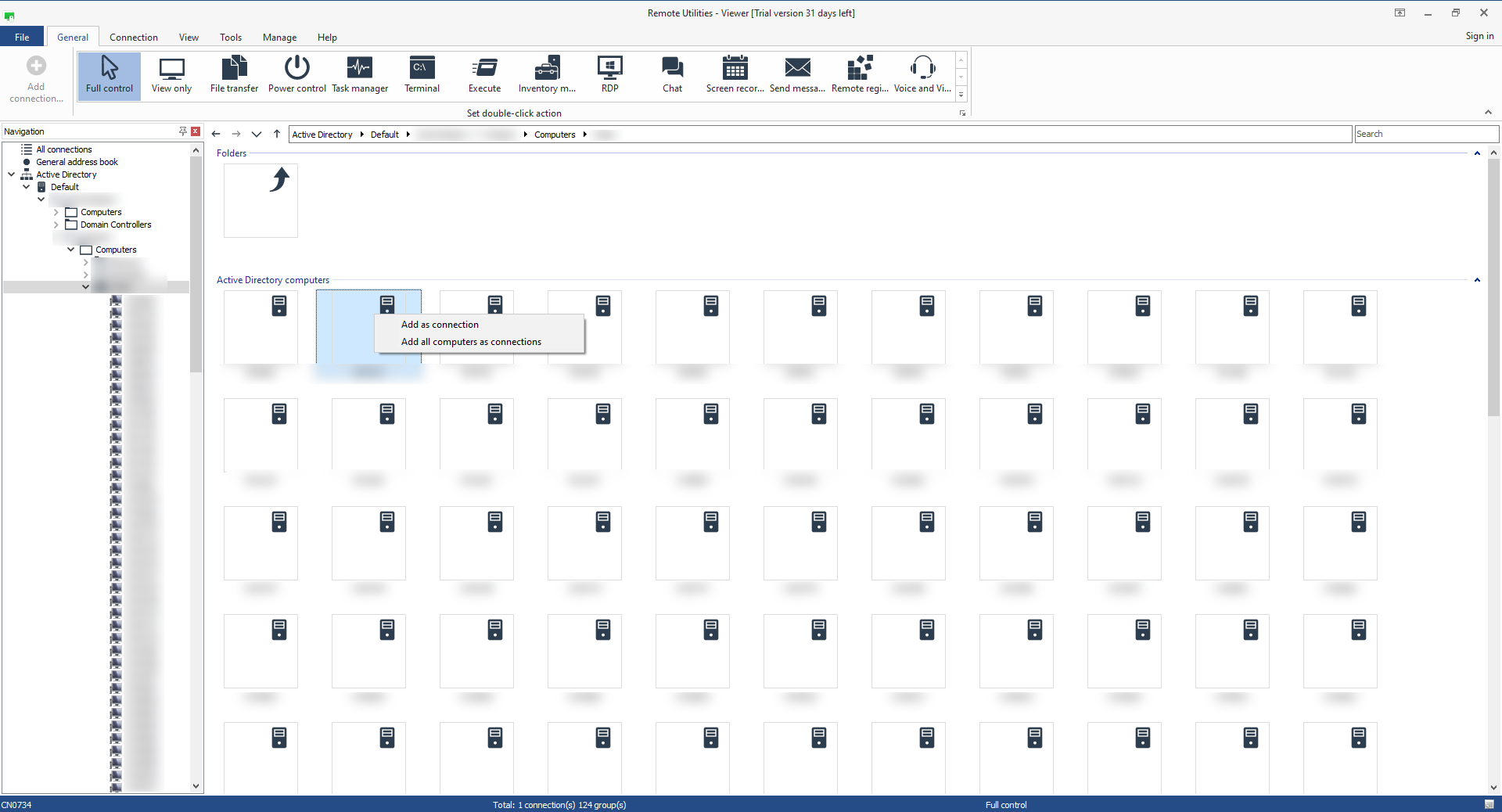
They are listed on the left pane, but in order to remote control any computer there you need to add it first as a connection, this is very inconvenient, as it makes static groups that need to be changed every time something changes in AD. See the image (the only options you see are: add as a connection or add all as connections)When you install the Viewer on a computer that belongs to the Active Directory network, the Viewer fetches the AD tree automatically and displays it in the Navigation pane on the left side of the main Viewer window.
It would be much better to implement the right context menu directly in AD, as you see in connections, like this:
Thanks
Edited:gabriel ilardi - Jul 05, 2019 11:43:18 am EDT
Trial feedback
gabriel ilardi,
User (Posts: 6)
Jul 05, 2019 8:11:59 am EDT
Support level: Free or trial
Hi All,
We are evaluating Remote Utilies. I didn't find the instructions on how to correctly deploy the host, even though I manage to do it customizing the msi installer, I think these instructions should be added here: https://www.remoteutilities.com/support/docs/installing-and-uninstalling/#Installing_Host
I would expect I can connect to computers in Active Directory from the browser, instead it seems this is not possible, they need to be added as connections, this is very uncomfortable.
It would be great to have some extra options via right click on a computer:
Services (start & stop)
Shares (view create/delete)
Printers
Disks (usage)
Event viewer
Users
Groups
Thanks in advance
We are evaluating Remote Utilies. I didn't find the instructions on how to correctly deploy the host, even though I manage to do it customizing the msi installer, I think these instructions should be added here: https://www.remoteutilities.com/support/docs/installing-and-uninstalling/#Installing_Host
I would expect I can connect to computers in Active Directory from the browser, instead it seems this is not possible, they need to be added as connections, this is very uncomfortable.
It would be great to have some extra options via right click on a computer:
Services (start & stop)
Shares (view create/delete)
Printers
Disks (usage)
Event viewer
Users
Groups
Thanks in advance