Rob Chouinard's community posts
New Android app cannot connect through self-hosted server.
If you are using NAT port forwarding on your router, you may need to look at split-DNS or NAT lookback/reflection/hairpinning. That way you can use the same DNS name while on your local network and away.Benny Tucker wrote:
One thing I have noticed:
I've been using 2 addresses to my self hosted interned id server.
1. I've been using the IP address in one of them so that when I'm local, it works by IP.
2. When I'm out and about, I use the DNS address for the same server.
So then, If I've been using the DNS name while I'm out and about, it works just fine.
If I then, within a few minutes arrive on location and try to use the IP address id server, it fails as shown in one of the photos above.
However, after a period of time, not sure exactly how long, it will start working again with the IP address. This all works fine until I step away again and I try to use the DNS name, it fails again until a period of time has passed again.
I've tried everything I can think of. Rebooting the computer that the mini-id server resides on, Stopping and restarting the mini-id server, flushing the DNS cache on local and remote machines, including restarting the iPhone and tablets. Nothing works, except waiting for some cache somewhere to reset.
Otherwise, Kudos for such a wonderful upgrade to the IOS app.....
New Android app cannot connect through self-hosted server.
Thank you for the confirmation! I have been using RU with a paid license at work and a free license at home for almost 11 years now. I look forward to finally be able to use the app from my phone.Conrad Sallian wrote:
Rob,
Discard my previous message. It is indeed a bug with connecting from the mobile Viewer when that "Enable permission based..." checkbox is enabled on the Server. Regardless of whether you are signed in on the server and your account is properly added in 'Users' - the Internet-ID connection is not established.
We will fix this bug and release an update within a few days (along with a few more minor issues fixed). Sorry for the inconvenience!
New Android app cannot connect through self-hosted server.
It seems there is a mobile viewer bug or feature missing with permission based Internet-ID access on a self-hosted server. I use the same permission based Internet-ID access setup with Windows Viewer and I have no issues with it.
New Android app cannot connect through self-hosted server.
CorrectConrad Sallian wrote:
Hi Rob,
Just to confirm: you can sign in to your self-hosted RU Server without issues and the address book syncs, but connecting through it as a relay fails, correct?
It is set as default 5655 port and No pin is setup.First thing to check is the server side. In Admin Console go to File -> Server configuration -> Communication tab. Check the communication port there (5655 by default). It must be the same port you entered for the server in the mobile Viewer.
On the same tab, make sure PIN code is off, or at least that "Require PIN on Viewer" is off. The mobile Viewer currently can't supply a PIN code for a self-hosted server, so with that option on the connection is rejected right away. PIN code support is scheduled for one of the next mobile updates.
I understood that. It is trivial to setup as it currently is.Last thing. Choosing a relay server in the mobile Viewer works a bit differently from the desktop Viewer. It's list based: in the connection properties you pick the Internet-ID server from a list of saved servers instead of typing the address in. If a server's address or port was changed after the entry was created, the connection can keep using the stale entry. We'll fix that so it works exactly as in the desktop Viewer.
For now, please try this:
Pick a connection that doesn't work through the server.
Open its Properties, tap Internet-ID server and add a new server entry with the correct address and port. Select it and save.
I have done this many times. I have all 3 devices (phone, server, host) on the same LAN subnet, and the DNS resolves to the server. I have also tried setting the internet-ID server to it's local IP address.
See attached photos.Then try connecting again. We'll update the mobile app soon and remove this extra complexity: choosing a relay server in connection properties will be a plain form instead of a list, just like in the desktop Viewer. We'll add the PIN support too.
Sorry for the inconvenience.
New Android app cannot connect through self-hosted server.
Released: the all-new mobile app for iOS and Android
On the Android app, I cannot connect to any hosts through a self-hosted server. I created a new discussion about this to keep it out of this thread.
New Android app cannot connect through self-hosted server.
When trying to connect, the message extremely quickly changes to Connection Failed "Could not reach the host. Check the address and network."
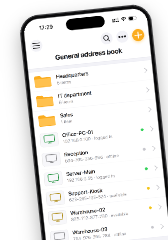
I am using a synced address book. To test, I created new connections with my self-hosted IP and my self-hosted DNS name in the apps general address book. The app is able to reach the self-hosted server, log in and sync the address book without any issues. The host shows as "available".
Google Pixel 9a
Android version 14.0.3
Windows Server version 3.5.5.0
Windows Viewer version 7.8.4.0
Windows Host version 7.8.4.0