Community
Stuck on "Connecting, please wait..." screen.
Links used in this discussion
Andrzej Kalinowski,
User (Posts: 3)
Mar 05, 2026 12:29:41 pm EST
Support level: Free or trial
Hello Community,
From a few days I have Problem with connection the remote Computer, the process of connecting is stuck on a screen "Connectiong, please wait" with a digital world in the background.
The version of the Viewer and Host is the newest (7.7.3).
If I hover the mouse over the name of the connection in the main Program List then the quick preview is show and I can see the Lock Screen of the Remote computer.
The remote computer is used by two users (me in evenings and my colleague during the day)
Today I connected with the computer not knowing that my colleague still works an the conenction was succesful and without waiting, and I saw his screen. But later when he logged off I wanted to connect with the remote computer and login to windows but again I got this screen with the digital world.
Please help
From a few days I have Problem with connection the remote Computer, the process of connecting is stuck on a screen "Connectiong, please wait" with a digital world in the background.
The version of the Viewer and Host is the newest (7.7.3).
If I hover the mouse over the name of the connection in the main Program List then the quick preview is show and I can see the Lock Screen of the Remote computer.
The remote computer is used by two users (me in evenings and my colleague during the day)
Today I connected with the computer not knowing that my colleague still works an the conenction was succesful and without waiting, and I saw his screen. But later when he logged off I wanted to connect with the remote computer and login to windows but again I got this screen with the digital world.
Please help

Hi Andrzej,
Thank you for your message.
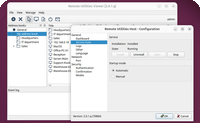
Please try enabling the Use legacy capture mode option in the Host settings -> Other tab and see if this helps to resolve the issue. Make sure to restart your Host after enabling the feature to apply the changes.
Let us know if this helps.
Thank you for your message.
Please try enabling the Use legacy capture mode option in the Host settings -> Other tab and see if this helps to resolve the issue. Make sure to restart your Host after enabling the feature to apply the changes.
Let us know if this helps.
Andrzej Kalinowski,
User (Posts: 3)
Mar 10, 2026 6:00:16 pm EDT
Support level: Free or trial
Hello,
Yes, it helped. Just after enabling this option I was able to connect succesfully.
The other Problem that I noticed is that the other User left the computeer with his username on the Lock screen. And I cannot switch User, there is no option, therefore I cannot login into my Windows account.
I guess he has to leave his PC without any user on the log screen next time.
Yes, it helped. Just after enabling this option I was able to connect succesfully.
The other Problem that I noticed is that the other User left the computeer with his username on the Lock screen. And I cannot switch User, there is no option, therefore I cannot login into my Windows account.
I guess he has to leave his PC without any user on the log screen next time.
Hi Andrzej,
I’m glad to hear we were able to help and it works for you now!
Looking forward to your reply.
I’m glad to hear we were able to help and it works for you now!
Could you please let us know what connection method and authentication method are used to log in to the remote Host? Are you using Host module or Agent?I guess he has to leave his PC without any user on the log screen next time.
Looking forward to your reply.
Andrzej Kalinowski,
User (Posts: 3)
Mar 18, 2026 2:53:00 pm EDT
Support level: Free or trial
Hello,
If I go to the Properties of the Connection,
the connection method is "Internet-ID connection"
Authentication method is: "Auto".
I still cannot switch User, although I can now connect succesfully and operate on the Windows Lockscreen of the remote machine.
If I go to the Properties of the Connection,
the connection method is "Internet-ID connection"
Authentication method is: "Auto".
I still cannot switch User, although I can now connect succesfully and operate on the Windows Lockscreen of the remote machine.
Hi Andrzej,
Yes, Auto in the Connection Properties is the default order of the authentication methods Viewer will try to connect to a Host. If possible, please check what authentication methods are enabled in the Host Settings -> Authentication tab. You can also use the Remote Settings feature to do so.
Looking forward to your reply.
Yes, Auto in the Connection Properties is the default order of the authentication methods Viewer will try to connect to a Host. If possible, please check what authentication methods are enabled in the Host Settings -> Authentication tab. You can also use the Remote Settings feature to do so.
Looking forward to your reply.
* Website time zone: America/New_York (UTC -4)