Community
The ability to drag menu bar to left or right
Links used in this discussion
Links used in this discussion
Support level: Plus
Is it possible to drag or move the menu bar. I log into some systems that have Microsoft rdp into another computer, and I can't access the Microsoft rdp menu bar to minimize it etc.

Support level: Plus
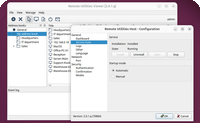
Here is a screen shot, when working full screen, triggering the rdp menu can be a choir.
Attached Files
Hi Brad,
Thank you for the screenshot.
Just to make sure, you mean the Full Control and View window Toolbar, correct? If this is the case, please make sure that the pin option is disabled for the toolbar - this way toolbar should automatically hide when you’re mouse cursor is not near it.
If you mean something else, please let us know.
Thank you for the screenshot.
Just to make sure, you mean the Full Control and View window Toolbar, correct? If this is the case, please make sure that the pin option is disabled for the toolbar - this way toolbar should automatically hide when you’re mouse cursor is not near it.
If you mean something else, please let us know.
Support level: Plus
Yes that the menu bar I'm talking about, the problem is rdp menu bar also hides, so when you try to trigger the rdp menu bar, the remote utilities toolbar un-hides and hides the rdp menu bar.
Benny Tucker,
User (Posts: 59)
Dec 09, 2025 11:14:59 am EST
Support level: Plus
I have some machines that I do this same thing. What works for me is to use the auto-hide function of both Remote Utilities toolbar and also the RDP on the other machine.
When I want to log off the RDP session, I just position the cursor near top of screen outside of the area that the Remote Utilities toolbar would activate, but within the area that the RDP toolbar would activate.
Hope that makes sense !!
When I want to log off the RDP session, I just position the cursor near top of screen outside of the area that the Remote Utilities toolbar would activate, but within the area that the RDP toolbar would activate.
Hope that makes sense !!
Support level: Plus
Benny,
Yes this works, I have a lot of Point of sales machine I support, i was looking for a better solution.
Yes this works, I have a lot of Point of sales machine I support, i was looking for a better solution.
* Website time zone: America/New_York (UTC -4)