Remote Utilities on Ubuntu with Wayland
New Remote Utilities for macOS and Linux: Wayland support with unattended access. Learn more →

Community


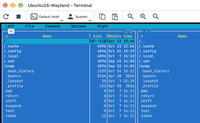
Dialog cannot be moved or terminated.

Remote utilities has been installed. This software can be used to access your computer remotely.

This dialog cannot be closed. The display window cannot be moved either.

Installed version: 7.5.1.0

Is there a workaround here?

TY

Andreas
Attached Files
Dialog cannot be moved or terminated.
Hello Andreas,

Thank you for your message. This button should be clicked on the remote side, just once. For PRO license users, the window can also disappear after a 10-minute timeout.

Or do you mean that the window doesn’t go away even if the remote user clicks the OK button?

* Website time zone: America/New_York (UTC -4)