Remote Access for In-House IT
Help your colleagues and look after your servers with a tool that follows your Active Directory and stays inside your network.
Built for Your Network
Three things matter when the computers you manage are your own company's.
Follows Active Directory
Domain computers arrive in the address book by themselves, and administrators sign in with their domain accounts.
Deploys by Group Policy
Build a Host package with your settings inside and push it across the domain, with nothing to set on each computer.
Stays inside
Connect directly over your LAN or VPN, or through a server you run yourself. No cloud account is involved.
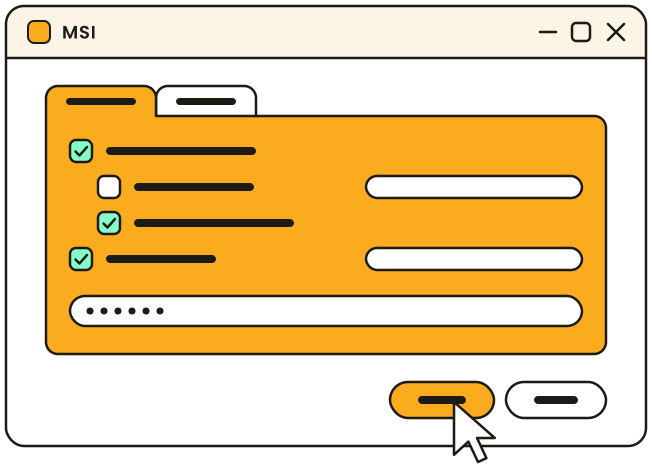
Every computer, already configured
The MSI Configurator in the Viewer produces a Host package with the access settings and every other option already inside. Push it through Group Policy across the domain, or install it on selected computers from the Viewer with the Remote Install tool.
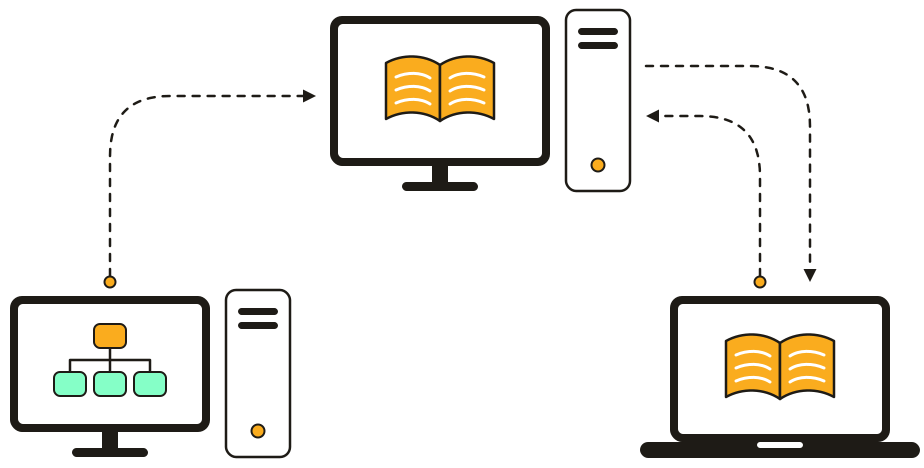
An address book that keeps itself current
The self-hosted server asks a domain controller for the list of computers on a schedule and syncs the result to everyone on your team. A new machine appears without anyone adding it.

Help a colleague without leaving your desk
Find the computer by name in the address book and connect. With the "Ask user permission" option on, the colleague accepts each session in a prompt, and a panel on their screen shows who is connected. Talk it through in a text, voice or video chat while you work.

Maintenance after hours
The Host starts with the computer, so servers and headless machines stay reachable with nobody at the console. Open a terminal, stop a hung service, edit the registry, restart and reconnect, or wake a sleeping computer with Wake-on-LAN.
Access Under Control
Decide who may connect to which computer and what they may do there. Authentication is always on and cannot be disabled.
Domain accounts
Give domain users and groups their own permissions on the Host. People sign in with the account they already have.
AD authenticationRights per connection mode
Let the helpdesk see screens and transfer files, and keep the terminal and the registry for administrators.
Host security settingsTwo-step verification
Add a one-time code from an authenticator app, so a guessed password alone is not enough.
SecurityStays in Your Network
Remote Utilities needs no cloud account and keeps no central record of your users or computers.
Direct connection
Inside the LAN or over your VPN, the Viewer connects straight to the Host by IP address or host name, with no server in between.
Your own server
For branch offices and people working from home, the self-hosted server relays the connection. It comes with the product at no extra cost.
Works offline
Viewers, Hosts and the server only need to reach each other. The whole system runs in a network with no Internet access.
Licensing That Fits
Two numbers decide your license: how many people on your team connect at the same time, and how many computers you manage.
Per concurrent user
Administrators who connect at different times can share one license seat, so a shift rota does not multiply the cost.
Compare plansSized to your fleet
Plans go from 20 controlled devices to unlimited. The License Assistant finds the one that matches your numbers.
License AssistantBuy once, own it forever
A license is a one-time payment for the current major version. Minor updates are free.
Upgrade PolicyTry It on Your Network
Download Remote Utilities and try it for 30 days with no limit on the number of remote computers. Start with one department and one package.