Remote Access for Work and Home
Reach your office computer from home, help family and friends with theirs, and keep your own devices at hand. Free to start.
Built for Everyday Use
Three things you will notice in the first ten minutes.
Free to start
The free license covers business and personal use, with no session time limit and no ads.
No network setup
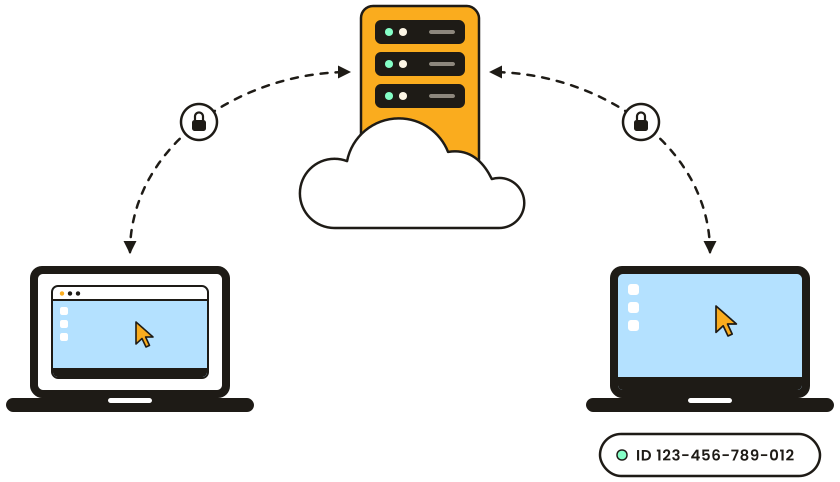
An Internet-ID connection works through home routers and office firewalls without any configuration.
No account
The program works without registration. Your passwords stay on your own computers, not on our servers.
Your office computer, from anywhere
Install the Host on your office computer once, and it waits for you after everyone has gone home. Open your files and programs as if you were at your desk, copy a document across, or restart the machine and reconnect.

Help without a long phone call
Send them the Agent: a single file that runs without installation. They tell you the ID and password it shows, and you see their screen and fix the problem yourself. When they close the Agent, access ends.

Every computer in one list
Keep your home PC, your laptop and a media server in one address book and open any of them in a click. The Viewer and the Host run on Windows, macOS and Linux, and the mobile app connects from a phone or tablet.
Private by Design
The same protection a company gets, on every license, the free one included.
Always encrypted
Every session is encrypted, and encryption cannot be switched off.
Always authenticated
There are no blank or built-in passwords. Add two-step verification for one more lock.
Visible to the other side
The person at the remote computer can be asked to accept each session and sees who is connected.
Start Free
Download Remote Utilities and get a free license for business and personal use. If you outgrow it, a paid plan is a one-time payment.